


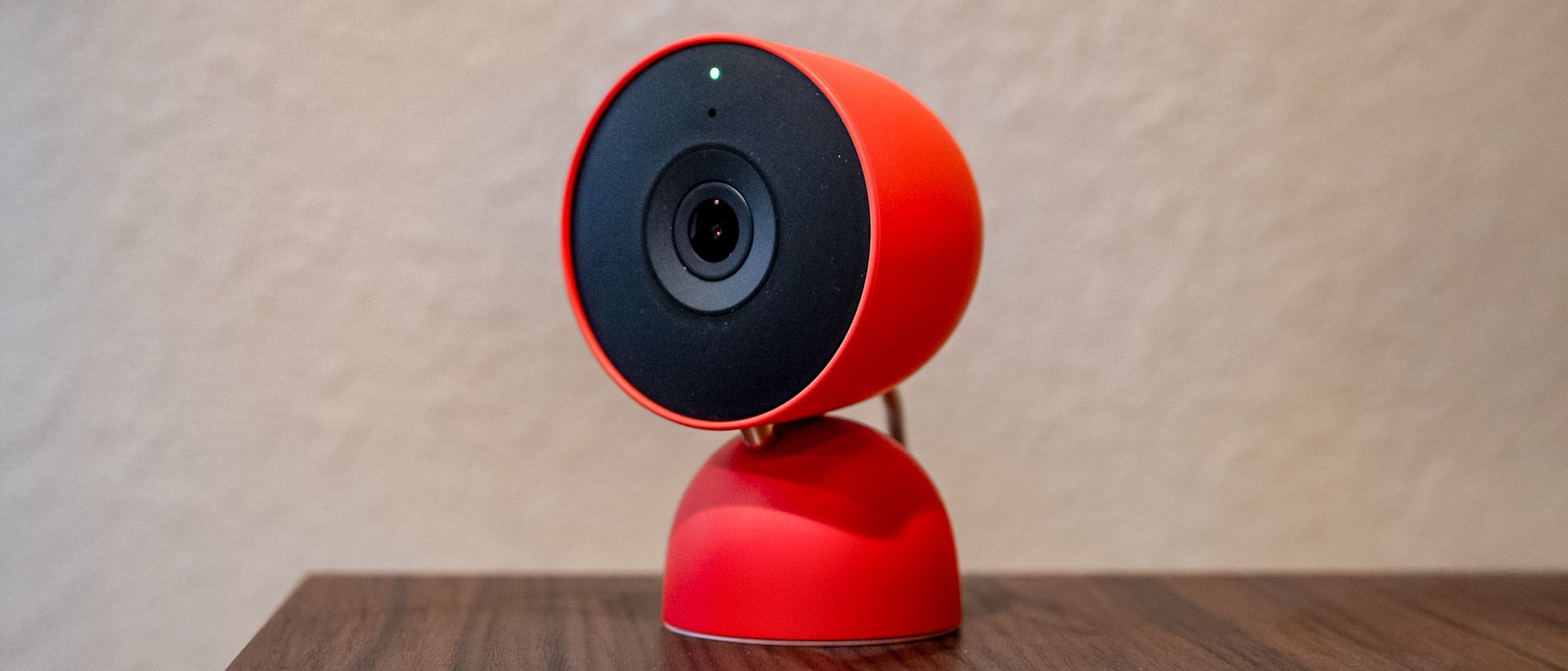
Google Nest Cam Indoor (wired, 3rd gen): Specs
Camera Size: 3.9 in H x 2.5 in W x 2.2 in D
Video: 2560 x 1440 / 30 FPS, HDR
Aspect ratio: 16:9
Field of view: 152° diagonal
Night vision: Up to 15 ft, two 850 nm infrared LEDs
Wireless: 802.11ac (2.4/5 GHz), Bluetooth Low Energy
Weather Resistance: None, indoor only
Audio: Full-Duplex 2-way audio w/noise cancellation
Lighting: None
Power: Wired only, 10 ft attached cable w/USB-C connector and 7.5W USB-C adapter
Google is bringing its Nest smart home devices into the AI era. Along with the Gemini for Home platform, Google has revamped many of its Nest smart home products, including its beloved cameras, although only the wired model has been given a revamp so far. The Google Nest Cam Indoor (wired, 3rd gen), however, is about more than just AI. It also has a number of other improvements, including a new sensor that supports a 2K resolution and a wider field of view. Plus, it’s available in a pretty Berry color.
Google Nest Cam Indoor (wired, 3rd gen) review: Price and availability
As mentioned, only the wired version of the Google Nest Cam has been given an update. It’s available for $99.99 and can be purchased straight from Google or from participating retailers. It comes in three colors, including Snow, Hazel, and Berry – however, the Hazel and Berry colors are only available in the US.
Google Nest Cam Indoor (wired, 3rd gen) review: Design and setup
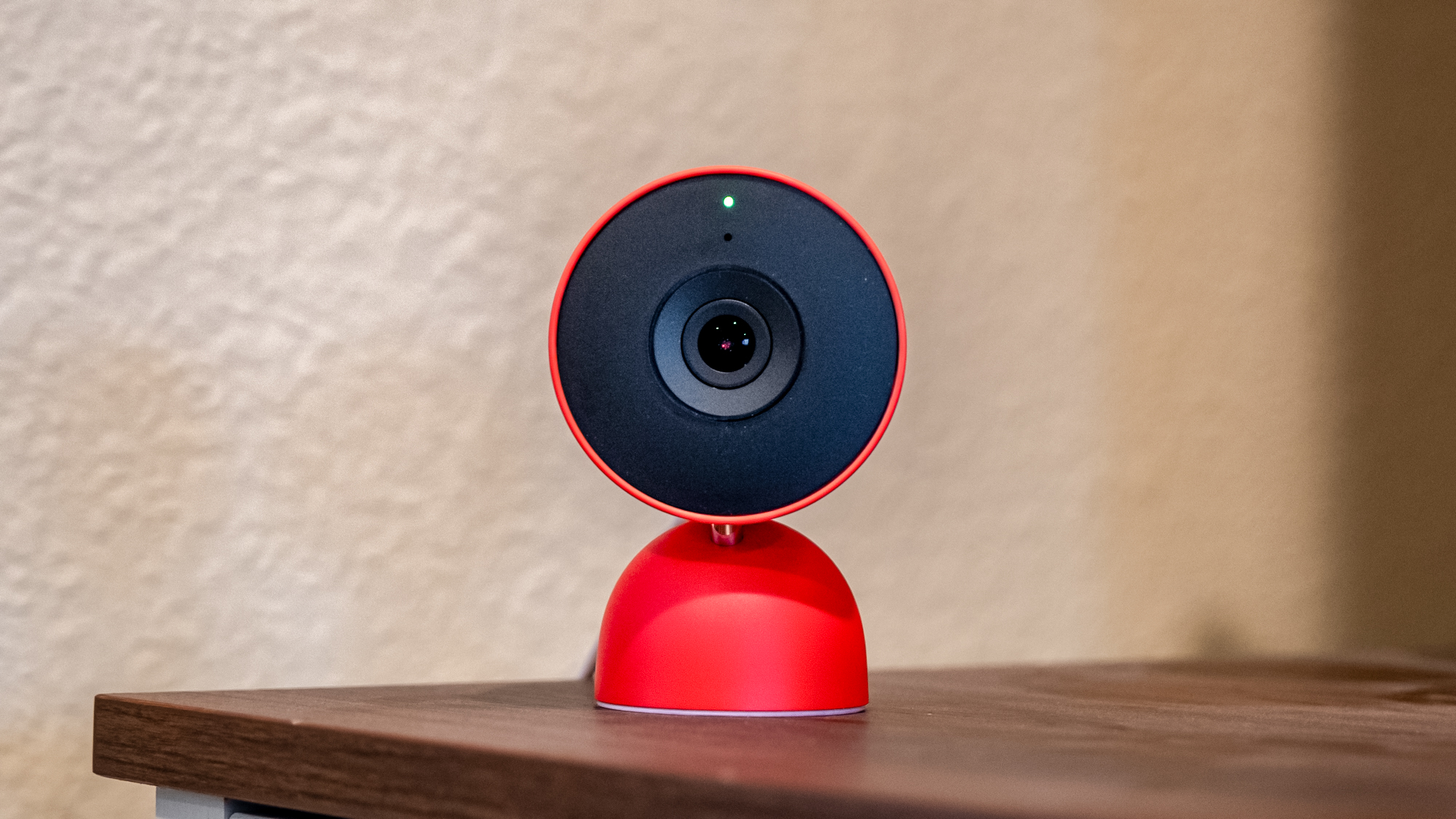
The Google Nest Cam Indoor looks largely the same as previous models, with a compact body that’s attached to a small base. The camera itself can swivel and rotate a little to help with positioning, though it’s not the most flexible security camera out there when it comes to angling. That said, it should be fine for most users, both placed on a surface or mounted to a wall.
Keep in mind that unlike plenty of other options, the Nest Cam doesn’t support any pan/tilt functionality. You’ll want to ensure it’s able to see what you want it to when you place it.
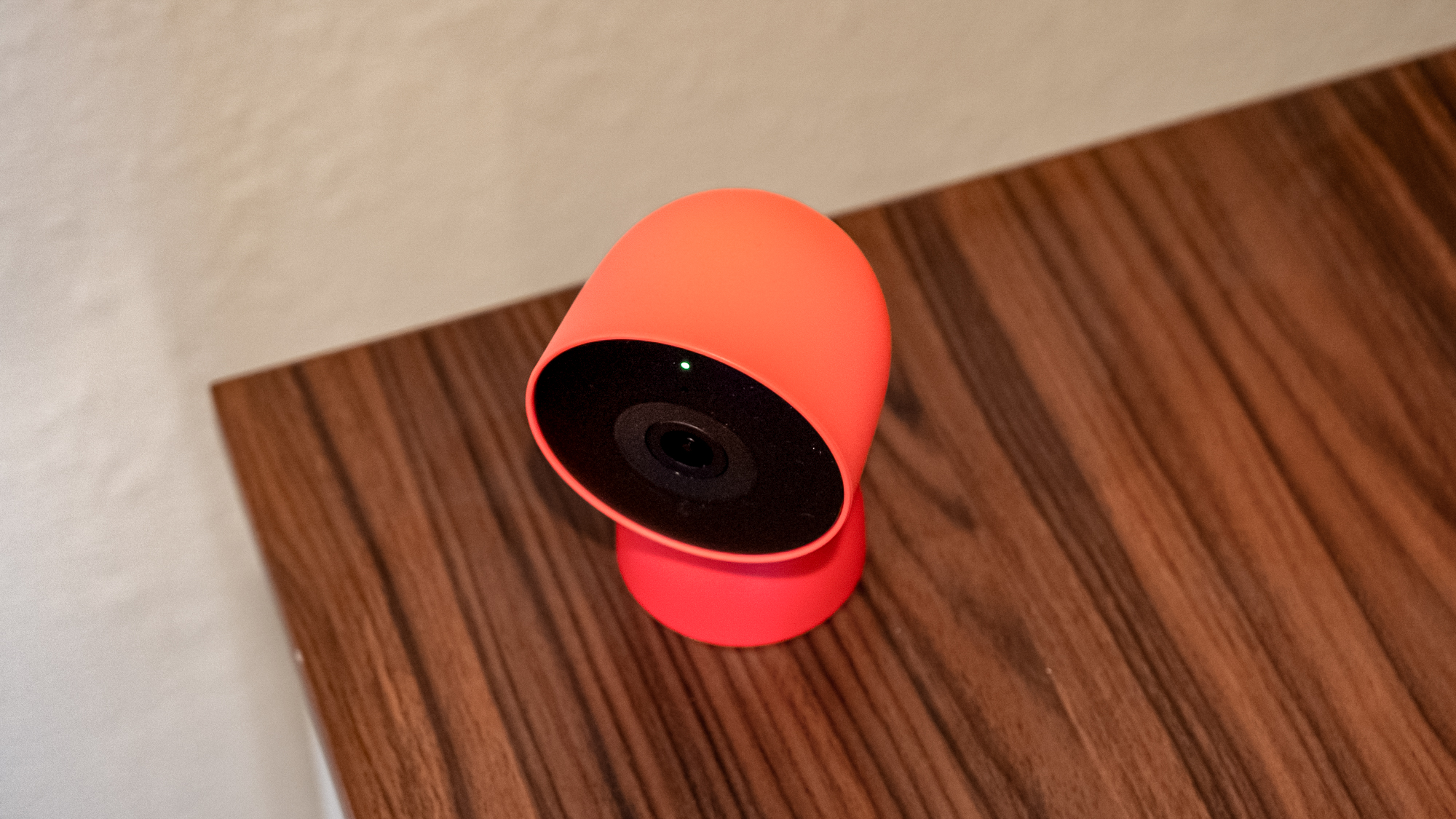
I’m reviewing the camera in the “Berry” color, which is a vibrant red that I really like. Most security cameras come in boring colors like white, black, or gray, so it’s refreshing to see Google offer something a little more interesting. The camera is also available in Snow and Hazel if you prefer something more subdued. It’s made largely with plastic but it feels high-quality and durable.

The camera has a permanently attached 10-foot USB-C cable, which is long enough for most installations. The fact that it’s permanently attached means you can’t replace it if it gets damaged, which is unfortunate. While I could see the reasoning for having a permanently attached cable on an outdoor camera for weatherproofing, this is specifically the indoor model and it should have simply had a USB-C port instead. The cable ends in a USB-C connector, which plugs into the included 7.5W power adapter.
Installation is incredibly easy. You can either place the camera on a surface like a shelf or table, or mount it to a wall using the included mounting hardware. I didn’t mount mine during testing, opting instead to simply place it on a shelf. Getting it set up in the Google Home app was simple too. You’ll do so by opening the app and tapping on the button to add an accessory, scanning the QR code on the camera, and following the on-screen instructions. The whole process took about five minutes from unboxing to having a live feed on my phone.
Google Nest Cam Indoor (wired, 3rd gen) review: Video and audio quality
The Google Nest Cam Indoor captures video at a 2K resolution, which is probably the biggest upgrade over previous models apart from the addition of Gemini AI features. The camera has a 152-degree diagonal field of view, which is wide enough to capture a large room or a long hallway without missing much. It’s a significant improvement over older Nest cameras, and it means you’ll be able to see more of what’s happening in a given space.
Video quality is excellent across the board. The camera captures crisp, detailed footage in both well-lit and poorly-lit environments, making it versatile for use in just about any room. Colors look natural and accurate, and there’s plenty of detail in the footage, even when zooming in on specific areas.
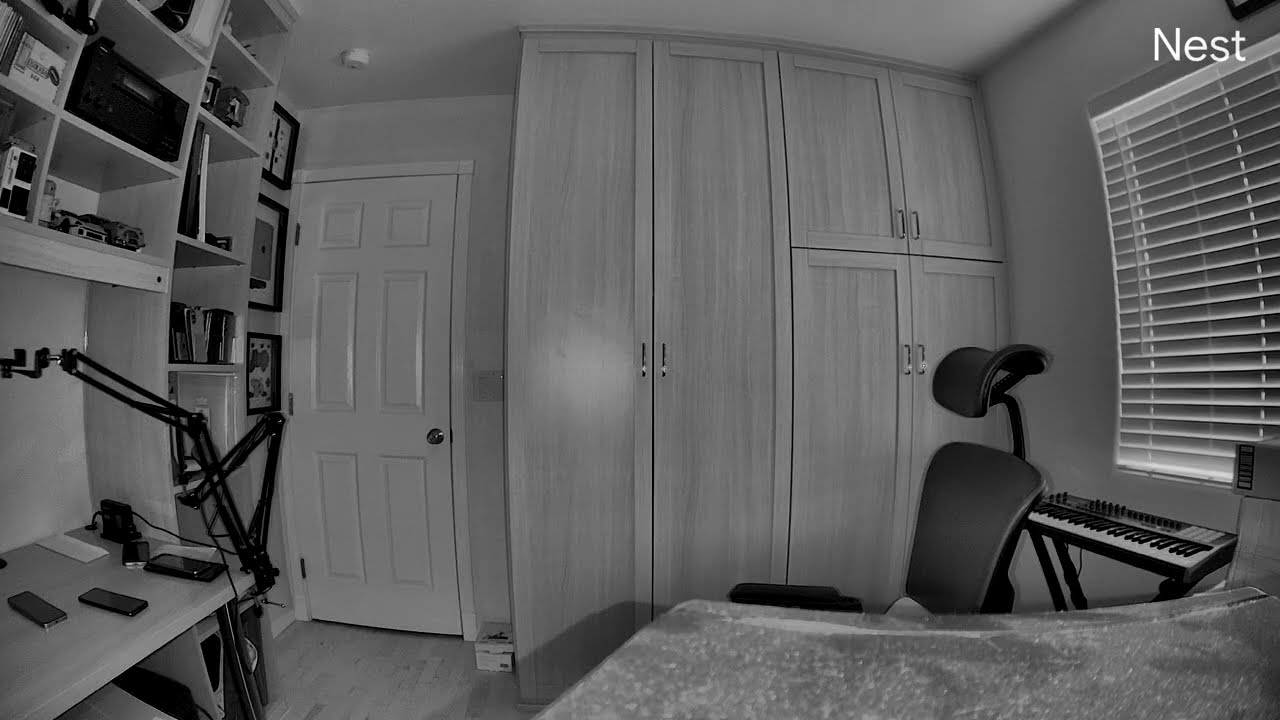
Night vision performance is impressive too. The camera relies on infrared night vision rather than a spotlight, so there’s no color night vision here – it’s all black and white in low light. That said, the IR performance is very good, with lots of detail visible even in complete darkness. I would have liked to see color night vision as an option, especially considering that some (cheaper) competitors offer it, but the black-and-white IR footage is still more than good enough for most use cases, especially indoors. If you do want color night vision at a competitive price, it’s worth looking at the likes of the Wyze Cam Pan v4.
The camera’s HDR performance is very good too. I found it easy to see details in both shadows and highlights, which is important for security cameras that need to capture footage in rooms with varying light conditions, or with windows. Windows and bright lights don’t get blown out, and darker areas of the frame still retain plenty of detail. It’s a big improvement over older cameras that would often struggle with high-contrast scenes.
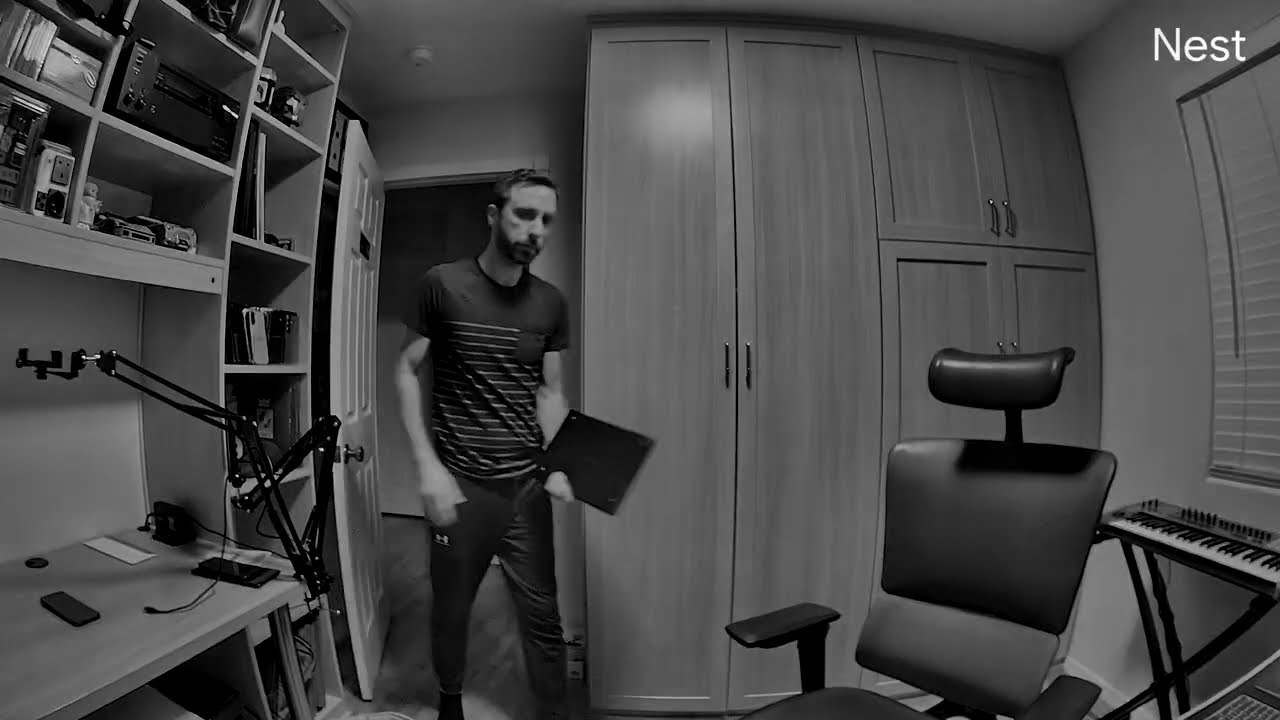
The camera was quick to detect motion during my testing, and notifications arrived on my phone reasonably fast – though there was still a 2-3 second delay between when motion was detected and when I received the alert. That’s pretty standard for security cameras, and while it would be nice to see instant notifications, the delay is short enough that it shouldn’t be a major issue for most users.
Audio quality is excellent too. The built-in microphone picked up everything clearly, from voices to ambient sounds, and the speaker played my voice back perfectly during two-way audio tests. It’s loud enough to have a conversation with someone through the camera, and the audio quality is clear and easy to understand. Some security cameras have mediocre audio, but that’s not the case here.
All of this said, the video quality of cheaper cameras has been getting better and better – so while the quality of the footage on the camera is very good, if video quality is your top or only priority, you might save some cash by buying something from a company like Wyze. Still, video quality is only part of the equation here, and it’s easily good enough for most, even without a 4K resolution.
Google Nest Cam Indoor (wired, 3rd gen) review: App
The Google Home app is well-designed and relatively easy to navigate, which is important considering it’s the only way to control the Nest Cam Indoor. The app has received a new design recently, but most things are generally in the same place, so if you’ve used it before, you shouldn’t have too much trouble finding what you need. The interface is clean and intuitive, with a live view of your camera readily accessible from the home screen.
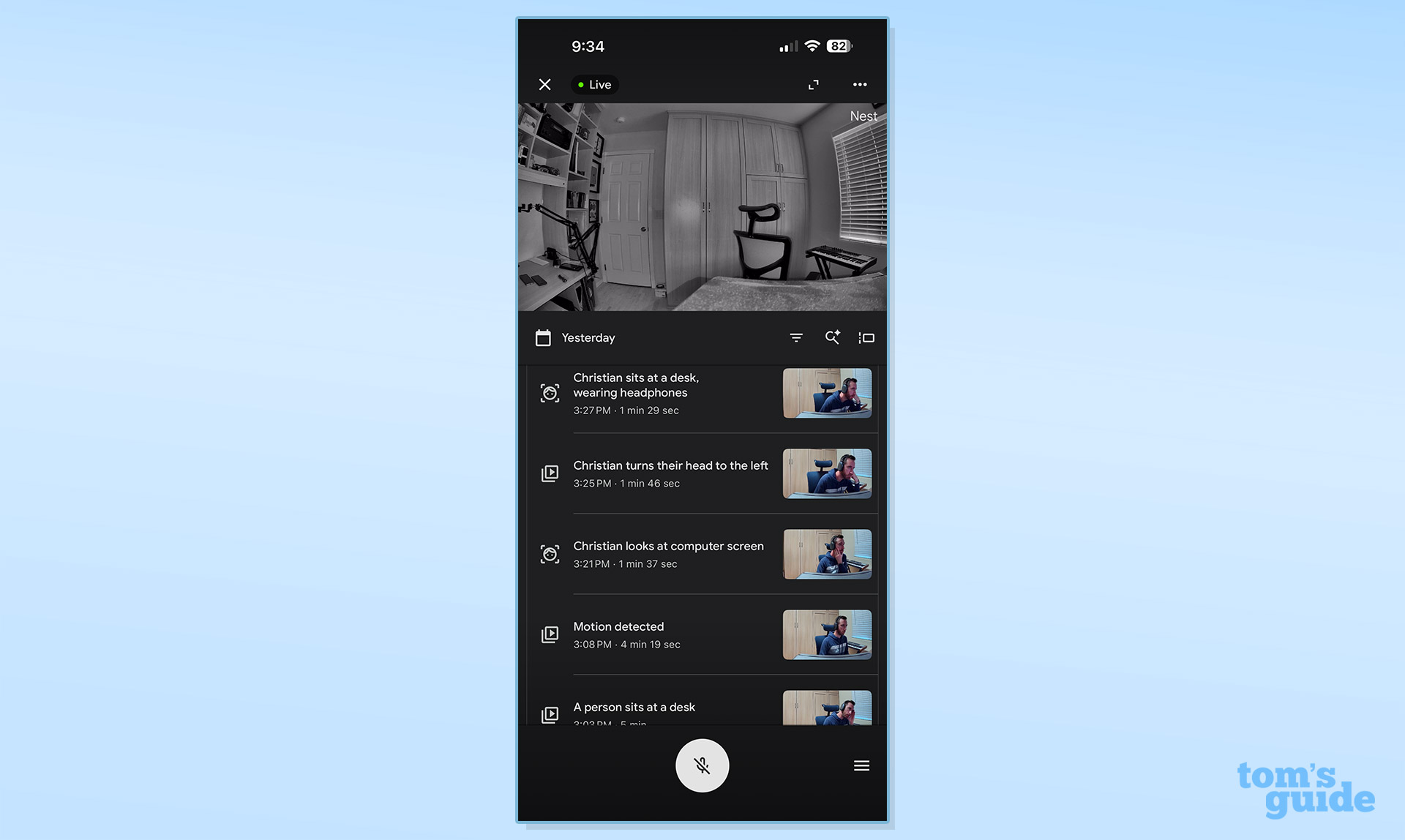
The biggest change for this model, however, is the addition of AI features powered by Gemini. These features include things like the ability to ask Gemini questions about your Google Home, and AI-generated descriptions – for example, instead of just “motion detected,” you might get “person with a package entered the room” or “package delivered.” With Gemini, you can ask questions and essentially use it as a searchable video history. You can ask things like “What time did my package get delivered?” and Gemini will search through your video history to find the answer.
These features work quite well for the most part, though they’re not completely accurate. For example, the camera sometimes said that an “unknown person” was seen even after I went through the face recognition onboarding process, where I named people that it should have been able to recognize going forward. It was mostly accurate, but there were definitely some misses that could be frustrating if you’re relying on the camera to tell you specifically who’s at home.
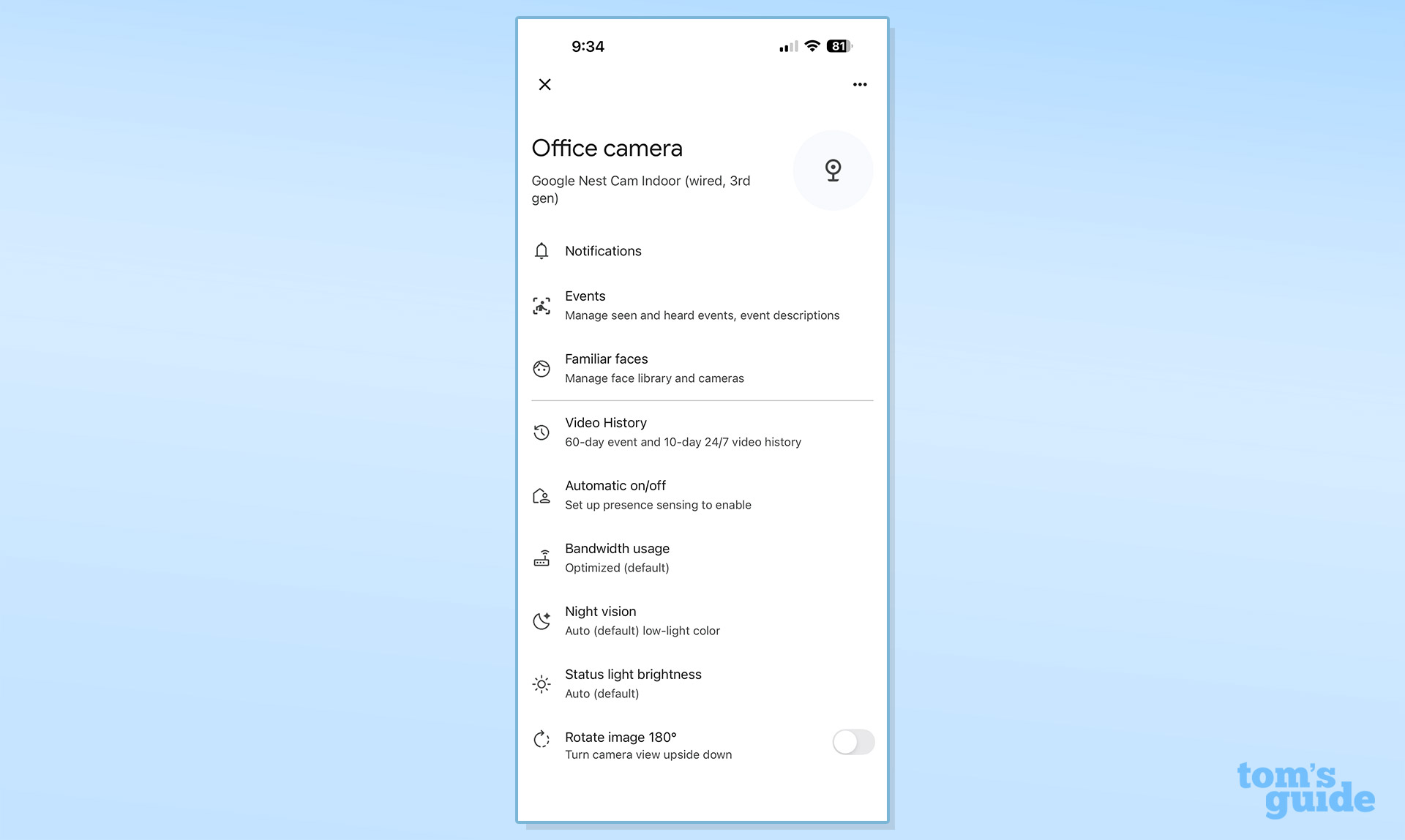
Things like face recognition and AI descriptions aren’t necessarily unique anymore – plenty of other cameras these days offer similar features. But the Gemini integration helps take it to the next level. It helps make features conversational, rather than one-way, which is a nice touch. Instead of just receiving notifications or scrolling through footage, you can interact with your camera’s video history in a more natural way. Gemini will also create a summary of events for each day, which it calls the “Home Brief.” This could be handy if you miss something. Here’s an example of a Home Brief I got.
“On Tuesday morning, Christian entered the office, followed by a cat, and settled down. Christian then briefly left the room, returning shortly with a mug before exiting again. Soon after, Christian came back to the office, settled into a chair, and began working on a laptop, wearing earbuds. A cat later joined Christian, resting on their lap. At one point, Christian stood to check the door before returning to the chair. Later, Christian removed their headphones, stood up, and exited the room. In the late afternoon, another person briefly entered and then exited the office.”
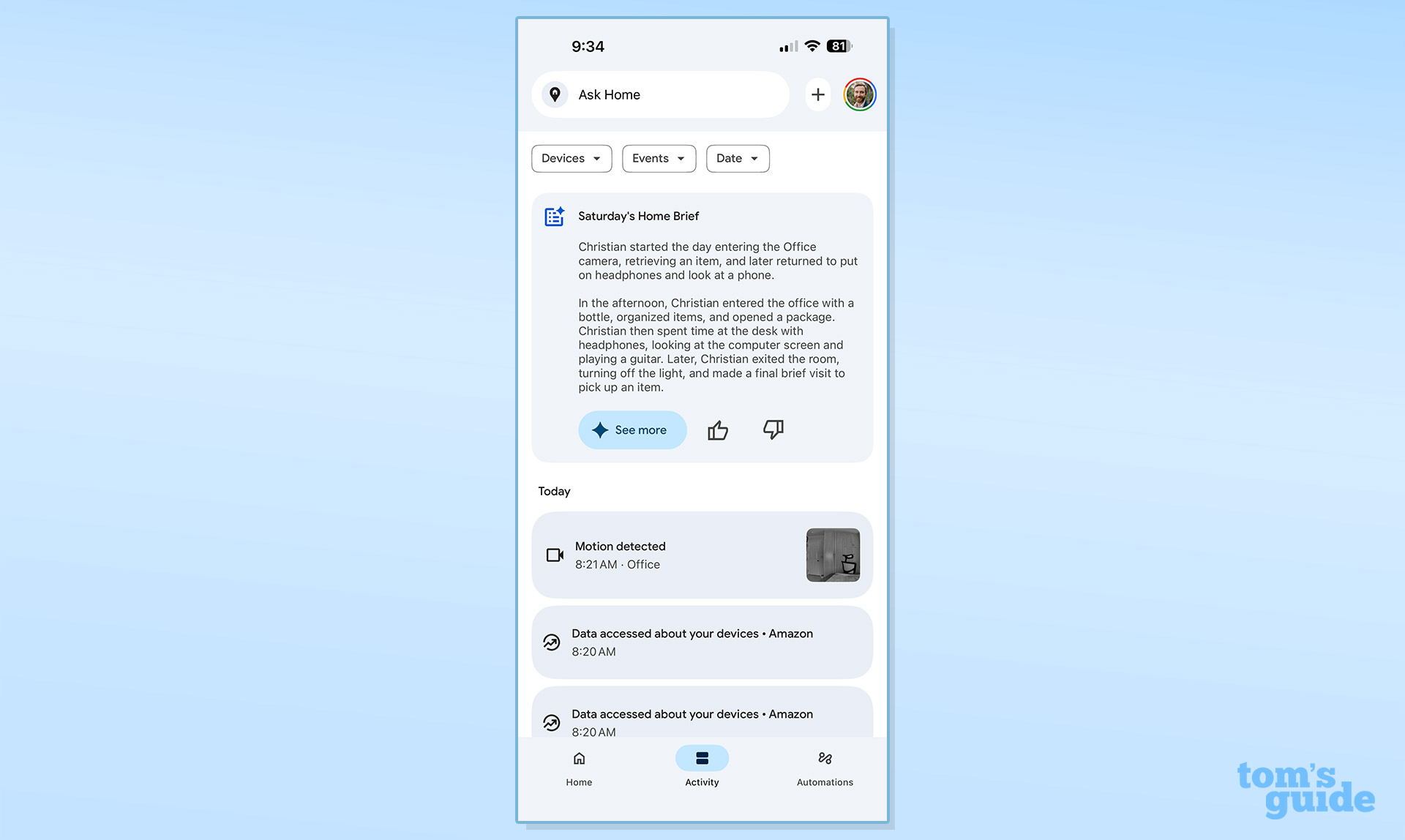
There are some minor errors in this brief – like the fact that I wasn’t working on a laptop (it was a desktop computer, out of sight of the camera), and that the “other person” that entered then exited was actually me. These are the kinds of very minor issues that Gemini surfaced often – and that probably won’t have much of an impact on daily security. And, remember, if you’re suspicious of anything the camera picks up, you can still simply look at the footage.
That said, I still can’t necessarily imagine using these camera-specific features much in day-to-day life, unless something happens that I need to investigate. However, the conversational aspect of the wider smart home could come in handy, especially if you have multiple devices.
It’s also worth noting that many of these AI features are still improving in terms of accuracy. I often used the “Ask Home” search bar to query my video history, and I was sometimes told that “something went wrong.” When it works, it’s impressive, but the inconsistency can be frustrating. Google is clearly still fine-tuning these features, and I expect they’ll get better over time with software updates.
Google Nest Cam Indoor (wired, 3rd gen) review: Smart home compatibility
The Google Nest Cam Indoor obviously works with Google Home, but it also works with Alexa. You won’t get anywhere near the same features in the Alexa app as you will in Google Home, and you’ll still need to use Google Home to set the camera up. But, if you use Alexa devices like an Echo Show in your home, you’ll at least be able to view a live feed of the camera and control some aspects of it using Alexa. There’s no other integration – so you won’t be able to use the camera with HomeKit or any other platform.
To get the most out of the camera, you’ll probably want to be a Google Home user. That’s no surprise – more smart home interoperability is coming with Matter, but the Matter spec still doesn’t support cameras, and even if it did, you wouldn’t get things like the AI descriptions outside of the Google Home app. Basically, if you’re already invested in Google Home, that’s great – you’ll be able to control the camera with voice commands, set up automations, and integrate it with other Google Home devices. If you’re not using Google Home, however, you’ll want to look elsewhere.
Google Nest Cam Indoor (wired, 3rd gen) review: Storage and subscription plans
Unlike some other security cameras, the Nest Cam Indoor doesn’t offer any local storage options – there’s no microSD card slot, no USB storage, and no built-in internal storage. That means you’ll need one of Google’s subscription plans to get the most from the camera.
Google has recently killed off Nest Aware in favor of Google Home Premium. Google Home Premium costs $10 per month (or $100 per year) for the Standard plan, and $20 per month (or $200 per year) for the Advanced plan. The annual plans save you a bit of money compared to paying monthly, so if you’re planning to stick with the service long-term, it’s worth opting for the yearly subscription.
The Standard plan gets you 30 days of event-based video history, intelligent alerts for familiar faces, package detection, and more. The Advanced plan bumps that up to 60 days of event-based video history and adds 10 days of 24/7 continuous video recording, along with more detailed event descriptions and the ability to search your video history using Gemini. The Advanced plan is where the real value lies if you want to take full advantage of Gemini’s AI features, but the Standard plan should be sufficient for most users who just want to review recent events.
It’s worth noting that you can also get the Standard plan included with Google One AI Pro, and the Advanced plan with Google One AI Ultra. If you’re already subscribed to one of those plans, you’ll get Google Home Premium as part of the package. Alternatively, you can mix and match – pay $10 per month on top of your AI Pro plan for Google Home Advanced. Without a subscription, you’ll only get 6 hours of event video previews with 10-second clips, which is pretty limited and probably won’t be enough for most users who actually want to use the camera for security purposes.
Google Nest Cam Indoor (wired, 3rd gen) review: Verdict
The Google Nest Cam Indoor is an excellent camera overall, and is easy to recommend for those already invested in Google’s ecosystem. The design is sleek, the video quality is good, and the Google Home app works well. The Google Home Premium subscriptions are useful, particularly if you want to take advantage of the AI-powered features, however for most users who only have a few devices, the Standard plan should be more than enough. The Advanced plan may come in handy for those with a lot of smart home products.
As a whole the Nest Cam Indoor is a great camera for Google fans who want a reliable, high-quality indoor security camera. As the AI features continue to improve over time, the camera will only get better, making it a solid choice for anyone looking to build out their Google Home setup.