

We may receive a commission on purchases made from links.
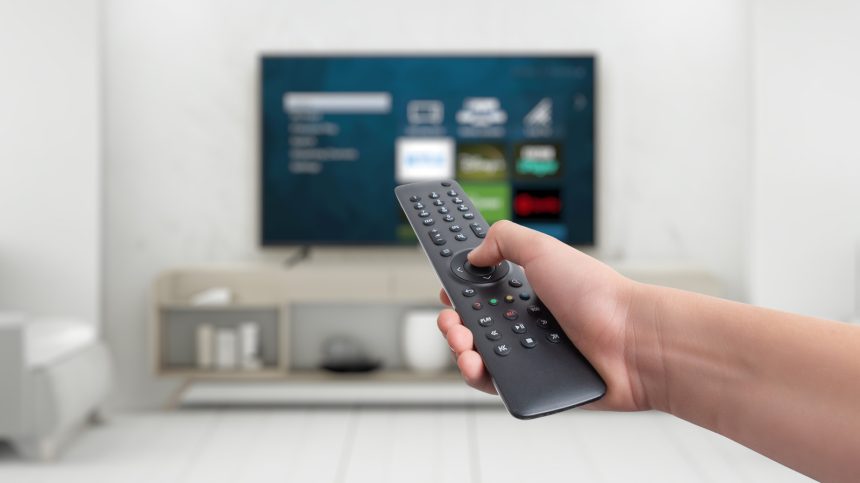
You have to do some research before spending money on a smart TV. When you learn more about the brands and models, you’ll notice marketing campaigns dwell a lot more on the hardware than the software that runs the devices. It could be the display quality, screen size, how thin the TV is, or even just buzzwords like “120-hertz refresh rate” or “quantum dot technology.” Rarely will you hear anything about the operating system that runs the TVs in detail.
Your TV’s operating system is its core. If your TV has a bad one, it may make the device feel slow and low-quality, while a good OS can make a modest screen feel premium. With this in mind, we’ve sifted through hundreds of comments from TV users to get an idea of what works and what doesn’t for eight major TV operating systems. We’ve ranked them from worst to best with specific TV recommendations for each platform.
8. VIDAA
monticello/Shutterstock
VIDAA is Hisense’s proprietary operating system. The company is now replacing it with Roku and Google TV on newer models, a hint that the OS is not a great option for most TVs.
One good thing about this OS is that it’s incredibly simple, light, and snappy, but this simplicity comes at a cost. Unlike Google TV and others on this ranking, VIDAA has a relatively tiny app library. If whichever app you’re looking for is officially unavailable in VIDAA’s store, you’re out of luck. Users regularly bemoan the absence of niche, yet essential apps like Stremio or any other major music player. On Reddit, a user says, “The VIDAA software is horrible. No Stremio and Spotify is crazy.” A Best Buy customer also says they wouldn’t recommend Hisense VIDAA on anything larger than 40 inches due to frequent freezes.
VIDAA won’t let you install Android apps, which makes it feel a lot less like a smart TV and more like a dumb device. It’s enough to handle the basics of TV viewing, but if you’re a power user, you will instantly hit a wall trying to navigate the VIDAA OS. If you’re interested in a spare TV for your other rooms or in something simple with just Netflix and YouTube, the budget-friendly 40-inch Hisense A4 Series running VIDAA should suffice.
7. VIZIO OS (formerly SmartCast OS)
Vizio TVs are the most affordable televisions at many retailers. However, software has historically been the brand’s Achilles’ heel. Since the Vizio OS was built on the premise of casting from a smartphone rather than having TV apps, it suffered from bugs and instability issues for a long time. The OS can now run native apps, but the experience isn’t as smooth as on most other major TV operating systems. Vizio OS remains unstable, since it receives frequent updates that seem to break just as much as they fix.
A user answered the question “Is Vizio SmartCast really that bad?” on the Vizio subreddit with a resounding “yes.” Most of the other commenters agreed and recommended getting a streaming stick rather than using the TV’s built-in SmartCast. A customer on Amazon wrote that Vizio “has a goofy OS that likes to push ads, and has odd behaviors at times.”
Despite Vizio’s OS shortcomings, the hardware is great. One of their standout TVs worth considering is the 50-inch Vizio Quantum Pro 4K QLED. Its 120 Hz refresh rate does a good job and produces smooth images, especially in video games, which don’t require dealing with the TV’s OS. Models running Vizio OS also tend to be among the cheapest TVs you can buy.
6. Samsung Tizen
ZaenMa/Shutterstock
Samsung makes some of the best smart TV hardware. However, there’s a huge disconnect between its excellent devices and the proprietary Tizen operating system. Take the One UI interface from the 2024 and 2025 models, which some users complain about. “The UI/Smart hub is extremely laggy. You tap a button to choose an app or type, and it’s seconds later before that button is recognized,” a user wrote on a Best Buy review of the Samsung 7 Series. Another customer wrote that the UI “is absolutely awful. It is extremely slow and freezes frequently.” Samsung aggressively pushes advertisements and its TV Plus channels directly onto the home screen, which contributes to the sluggishness.
But RTINGS’s review of the Samsung S95D OLED states that the Tizen OS is “fast and easy to use,” which indicates that the OS might be too heavy for older televisions but not for high-end models. However, if you look past the cluttered menus or don’t mind plugging in a TV stick, our Samsung S95D OLED review shows this model is arguably the best in the world, making it the only reason to tolerate Tizen OS.
5. Fire OS
Homesh Nasre/Getty Images
For a decade, Fire OS was a favorite among budget buyers. But that era is ending soon. Amazon has been abandoning the Android-based software and replacing it with a new Linux-based system called Vega OS since September 2025. The new platform promises better performance, but it removes the ability to sideload Android apps, which could alienate users who value the freedom of installing apps from outside the app store.
A Fire OS user on Best Buy says its ad-heavy interface is one of the main pain points. The home screen tends to be more of an Amazon Prime Video billboard rather than a personal library. Besides the ad clutter, the OS performance is a bit sluggish at times, according to some users. One of them on the Fire TV subreddit claims, “The OS has gotten pretty slow … There can be a delay of one to two seconds when launching an app.” Most other users echo this sentiment.
The revamped Vega OS has started shipping on streaming sticks like the Amazon Fire TV Stick 4K Select, even though not every Fire OS user is happy about it. As of December 2025, this is the only device with the new OS, with the rollout of new devices and likely TV sets coming over the next few months. If you’re looking for TVs still running Fire OS, there are still great options available, especially if you’re deep into the Alexa ecosystem, such as the 50-inch Amazon Fire TV Omni QLED.
4. Google TV
Google TV may be the most popular TV operating system on our list. It’s well-optimized for entertainment and does an excellent job aggregating various suggestions into a single feed for great content delivery. This strong point also happens to be a weakness for some customers. One user on Reddit says, “GoogleTV is more for power users with a lot going on. It can feel somewhat cluttered by comparison” to Roku TVs.
Besides content delivery, Google TV has a little-known smart home feature that offers more robust controls on the TV interface than any other platform on this list. Pair that with Google Gemini, and you can pretty much do anything with your Google TV.
Despite Google TV generally being a powerful operating system, its performance is limited by the hardware. A Sony Bravia TV may run Google TV flawlessly, while the same can’t be said for a budget Hisense or TCL processor. A unit like the 65-inch Sony Bravia 8 II OLED TV is a great option to consider if you fancy Google TV OS, though other cheaper models can run the software just fine. Alternatively, you could get a Chromecast TV Stick, which some users find to be a smooth addition even on older TV hardware. One Best Buy customer termed the Google TV interface on Chromecast as “the best looking and most intuitive.”
3. Roku OS
PJ McDonnell/Shutterstock
Roku OS is the Toyota Camry of TV operating systems: reliable, straightforward, and works smoothly without flashy extras or major issues. The interface may be a bit dated, but it’s rock-solid and user-friendly even to non-tech-savvy users. On Reddit, one user confirms this fact by pointing out that “Roku’s UI is extremely basic. I find it really boring, but it’s also really simple.” It also integrates with Alexa quite well. The ease of use is what makes Roku rank in third place ahead of the likes of Google TV.
Stability is another trait that keeps Roku ahead of the rest. Users love it because it works well without bombarding them with unwanted recommendations. Most importantly, Roku TV sticks offer many benefits and are some of the most affordable high-quality streaming devices. Older TVs from brands like TCL and Hisense come with Roku TV as their OS, but Roku started making its own TV sets in 2023. The 55-inch Roku Pro Series TV is just as good as the software and is worth purchasing if you’re sold on what the OS has to offer.
2. LG webOS
AS project/Shutterstock
LG acquired webOS from HP back in 2013 and made it the proprietary operating system that has been running on its smart TVs ever since. It has gotten better over the years, and as of now, LG’s webOS has a special tool that gives it an edge over most other TV operating systems: the Magic Remote. This remote employs point-and-click motion rather than manual scrolling on traditional remotes, which means navigation is quite fast once you get the hang of it — think of a Nintendo Wii remote, if you’re into older gaming systems. Typing passwords and searching feels easier, and the user interface is smooth, doesn’t stutter, is colorful, and is very kind to non-tech-savvy people. RTINGS says it’s “one of the best-looking platforms” on TVs, and an LG TV customer also points this out by stating that “WebOS is packed with options and once you get used to it, navigating between Netflix, YouTube, and live channels feels smooth.”
Users in the Apple ecosystem can enjoy Apple HomeKit and AirPlay 2. Besides that, WebOS also comes with Chromecast support. The only reason holding it back from being the best in the pile is home screen bloat. Updates since 2024 added full-screen home menus that were previously at the bottom, along with ads that some users feel interrupt the flow. Some models even display screensaver ads, which many users don’t take kindly. Currently, the 65-inch LG C4 OLED is a great option if you want to give webOS a shot, but our LG B4 OLED review shows this older model is still just as good and will save you a few hundred dollars.
1. Apple tvOS
Gece33/Getty Images
Apple doesn’t make TVs, but its streaming device, Apple TV, runs Apple tvOS and offers the best user experience in this pile. It is the only near-flawless TV operating system — zero lag, no ads, and a fluid 4K user interface. One user on Best Buy even believes the OS is actually underrated: “Can’t beat it! Super fast responsiveness! Zero ads on the operating system is so nice and underrated in my opinion,” they wrote.
TvOS 18 introduced three nifty features: InSight, automatic subtitles, and Enhance Dialogue, which put it ahead of other platforms. InSight lets you see detailed info about actors, music, and characters in real-time. Enhance Dialogue uses machine learning and automatically enhances vocals in any content for better clarity over background noise or music. Automatic subtitles show up at the right time when a movie or show’s dialogue doesn’t match your language.
The main downside is that this operating system isn’t built into any TV, so you have to buy a pricy standalone box. Regardless, it’s clean, uncluttered, and easy to navigate, unlike most TV platforms where you often feel like you’re fighting the interface to watch a movie. Apple tvOS is the best when it comes to reliable smart TV operating systems, but you must be willing to pay the premium for a device like an Apple TV 4K (3rd Generation). Also, it’s a great option if you’re already in the Apple ecosystem.
How we ranked the smart TV operating systems
Djavan Rodriguez/Getty Images
To rank the smart TV operating systems, we compiled a list of the eight major ones on the market. Then we scoured verified reviews on retailers like Best Buy and checked user comments on Reddit to understand how TV buyers feel about each TV operating system. We’ve selected positive and negative feedback and cross-referenced them with our reviews and those from trusted sources, such as RTINGS. We’ve found that Apple TV is the best on the list thanks to its exceptional performance and useful features, while VIDAA ranks the lowest due to its limited apps, fewer features, and poor performance.
Via: bgr.com