MSI MPG 341CQR X36 QD-OLED
January, 2026
Type
Monitor
Price
$1099 US
MSI’s gaming monitor lineup has seen various additions in the past couple of years, with designs that cater to all kinds of gamers. These monitors come in four different tiers, from the high-end MEG series to the gaming-minded MPG series, the entry-level MAG series & the budget G-Series.
The company has a vast array of options in 24, 25, 27, 32, 34, 40, and 49″ options and a total of 17 models within its OLED lineup, which range from 27, 32, 34, and 49″ options. The company recently refreshed its QD-OLED lineup with new options that come with improved panels, upgraded display capabilities, and flat-panel designs, a move away from its curved portfolio. Today, we will be testing MSI’s latest addition to its Ultrawide curved lineup, the MPG 341CQR QD-OLED X36.
In terms of specifications, the MSI MPG 341CQR X36 is a QHD QD-OLED monitor with a screen size of 34.0″. The monitor comes in a curved (1800R) panel design and offers various new technologies that elevate the curved display experience. The screen also features MSI’s latest DarkArmor Film, which offers 40% improvement in black levels, improves the overall contrast, and offers 2.5x higher resistance against scratches. The total display viewing real estate measures 812.83×118.54×371.9 mm.
Diving deeper into the operation specifications, the MSI MPG 341CQR QD-OLED X36 monitor features a max resolution support of 3440 x 1440 (UWQHD). The Pixel Pitch is 0.2315 x 0.2315 mm, and the contrast ratio is 1.5M:1 with a maximum brightness of 300 cd/m2 (SDR) and HDR brightness of up to 1300 nits, with 500 nits with its True Black 500 capability. The monitor is rated to provide 10-bit (1.07B) colors and has a VESA certification of ClearMR 18000. The monitor has an aspect ratio of 21:9.
One of the biggest highlights of MSI’s latest 34″ addition is that it comes with 5th-gen Tandem QD-OLED pixel arrangement technology known as Stripe Pixel. It utilizes the Samsung V-Stripe pixel panel tech, which is the major update rolling out for curved QD-OLED monitors this year. The technology helps tackle two things: first, to minimize color fringing, and second, to improve text clarity.
Lastly, we have to talk about the response time and the refresh rate. Being a DP2.1 (UHBR20) design, the monitor is rated at up to 360Hz at its UWQHD resolution and has a response time of 0.03ms (Gray-To-Gray). This is a nice update over the 240Hz of the previous 341CQR model, plus you also get the new panel and film technologies. The monitor comes with support for Adaptive-Sync technology.
On paper, the specifications for the MPG 341CQR X36 are as follows:
- Resolution: 3440×1440
- HDR Support: DisplayHDR True Black 500
- Panel Size: 34.0″
- Panel Treatment: DarkArmor Film
- Panel type: QD-OLED
- Panel Backlight: OLED
- Response time: 0.03ms (GtG)
- Refresh rate: 360Hz
- Viewing angle:178°(H) / 178°(V)
- Brightness: SDR: 300
HDR: True Black 500 with 10% APL
1300 (Typ.) (Peak 1300 with 3% APL) - Color depth: 1.07B, 10 bits
- Native contrast: 1500000:1 (Typ.)
- Height Adjustment: 0 ~ 110 mm
- Tilt: -5° ~ 15°
- Swivel: -30° ~ 30°
- Pivot: -10° ~ 10°
- Power input: 100~240V, 50/60Hz
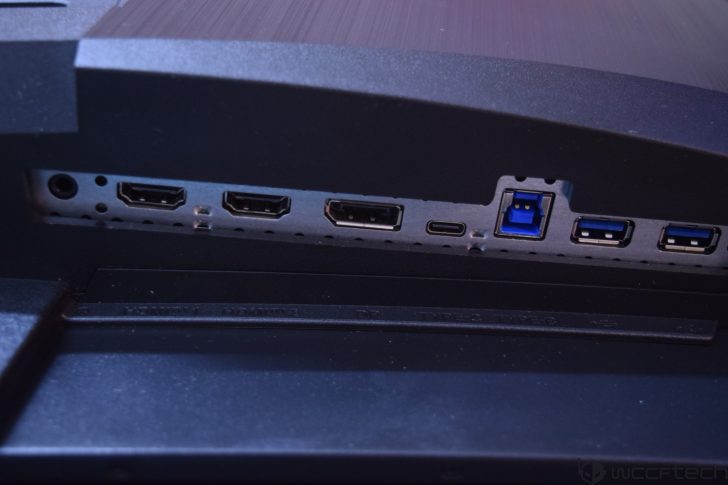
The IO ports on the monitor include:
- 2x HDMI 2.1 (UWQHD@360Hz)
- 1x DisplayPort 2.1a (UHBR13.5)
- 1x Type-C (DP alt.) w/ 98W PD
- 2x USB 5Gbps Type-A
- 1x USB 5Gbps Type-B
- 1x Headphone-out
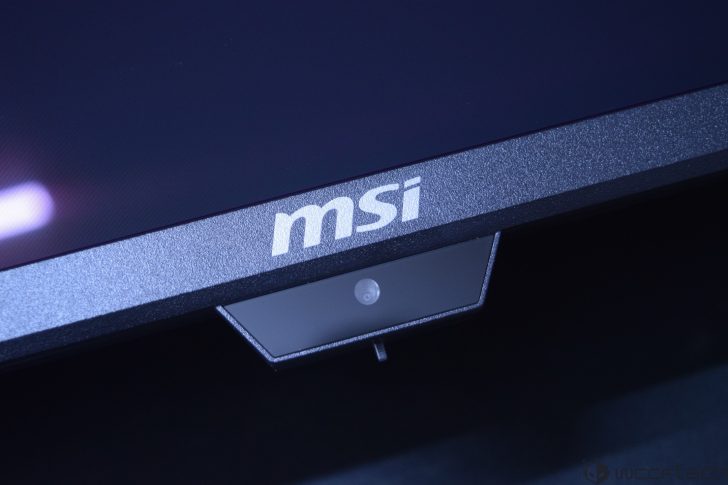
Other features of the MSI MPG 341CQR X36 QD-OLED include a user-friendly Gaming Intelligence App, support for KVM, and more. The monitor comes with an internal power board, which means that you don’t have to worry about any adapter or power brick to get it booted up. All you need is to connect the power cord to the power outlet, and you’re all set. One of the highlights of the MPG “X” series is OLED Care 3.0, which has a front-mounted sensor that leverages a built-in NPU to identify human presence, providing a range of options to elevate the OLED experience.
Since this is quite a hefty panel, we should also mention the exact dimensions so gamers & users who plan on buying it can ensure that they have proper room on their desks to accommodate the MPG 341CQR X36. The gaming monitor measures 812.83 x 118.54 x 371.9 mm with the standard & weighs 7.77 kg.
MSI MPG 341CQR X36 QD-OLED Gaming Monitor: First Look and Aesthetics
The MSI MPG 341CQR X36 comes in a large package, which is to be expected since this is a 34″ curved gaming monitor. The front side has a picture of the monitor itself along with its model number, its size, and its maximum resolution.
Opening the package, you are first met with the accessories, which include the feet, the power cord (C13), a USB Type-B to Type-A cable, a Fiber Cloth, 4x VESA wall mount screws, and a set of HDMI and DP cables. The DP2.1a cable in the package supports the full 80 Gbps (VESA DP80) bandwidth, which is more than the 54 Gbps bandwidth of the monitor.

The cable itself is short, but it is workable for desktop setups. There are longer cables coming with DP 2.1 (80 Gbps) ratings, so you might have to buy one of those if you want extended lengths.
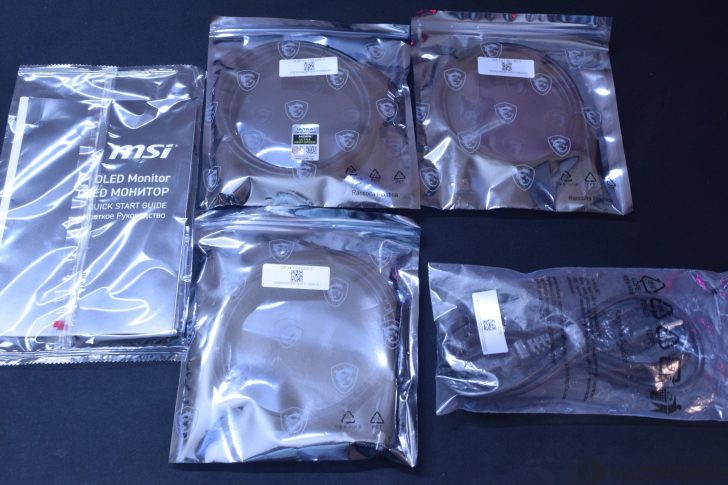
Underneath this foam packaging is another foam container that houses the monitor itself, along with the stand. MSI has paid extra attention to securing the monitor in a foam package to avoid any damage during shipping.

The stand attaches to the feet with relative ease. All you need to do is flip the metal lever, attach the stand to the mounting bracket, and rotate the lever until it’s secured.
The stand looks futuristic and has a large cut in the center through which you can route cable, but its intended purpose is to move the panel up and down. The monitor installation to the stand is also super easy with a simple lock press holding the entire thing in place. You can press the same lock to remove the panel from the stand. Extra durability is added through the magnetic locking interface.

At first glance, the MSI MPG 341CQR X36 QD-OLED is a massive monitor with an equally massive 34″ curved panel. You will definitely need extra care when installing or moving this monitor.
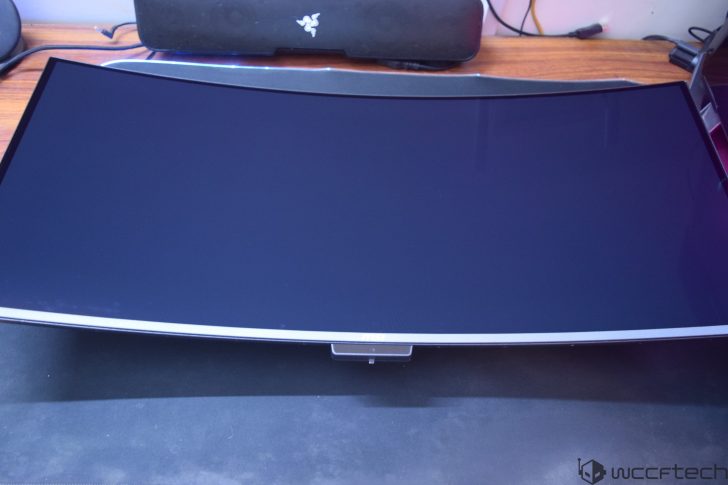
The back also has a very nice design with a mostly flat surface and the large internal component housing in the center with the MSI “Dragon” logo and an RGB-lit accent plate on the top.
The side profile of the gaming monitor itself is super slim. The large chassis on the back of the panel houses the components and the heatsink, along with the IO panel. You can see the vents through the sides, too.
On top of this compartment, you can spot several exhaust vents that are used to dissipate heat out of the monitor chassis.
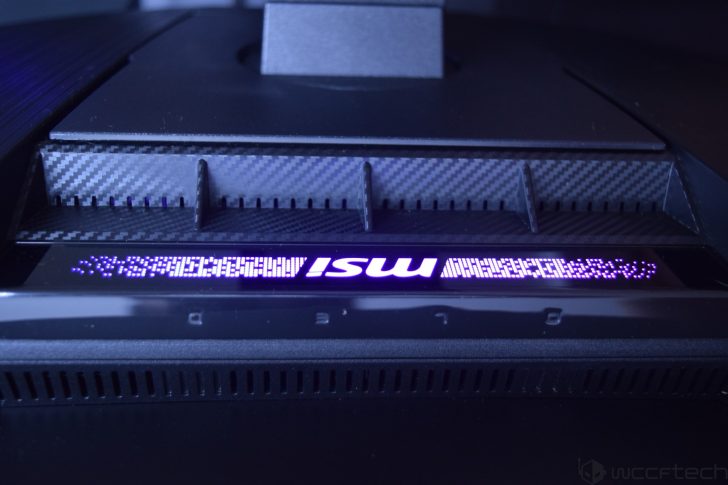
The bottom of the monitor has a large “MSI” logo and three buttons on the rear, which are easy to reach and are used to power up or power down the monitor through a long press, while a single press of the same button brings up the settings panel, which can be navigated through the navigation buttons on the sides.

Firing up the gaming monitor, you can see several LEDs light up, including the aforementioned LED accent bar, which has a nice “MSI” logo in the center.
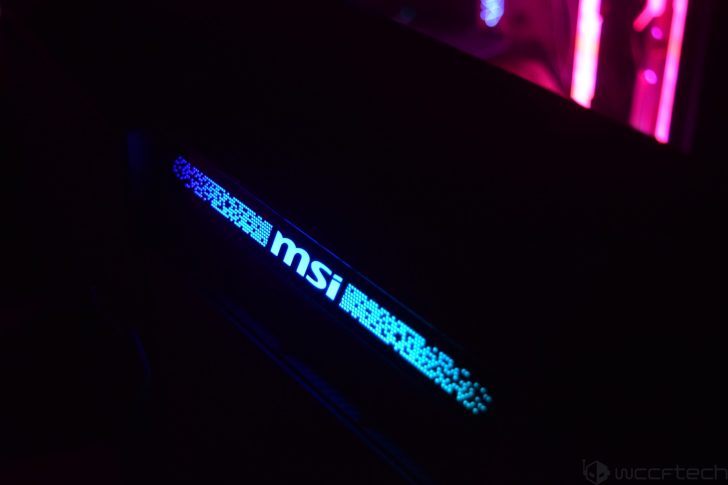
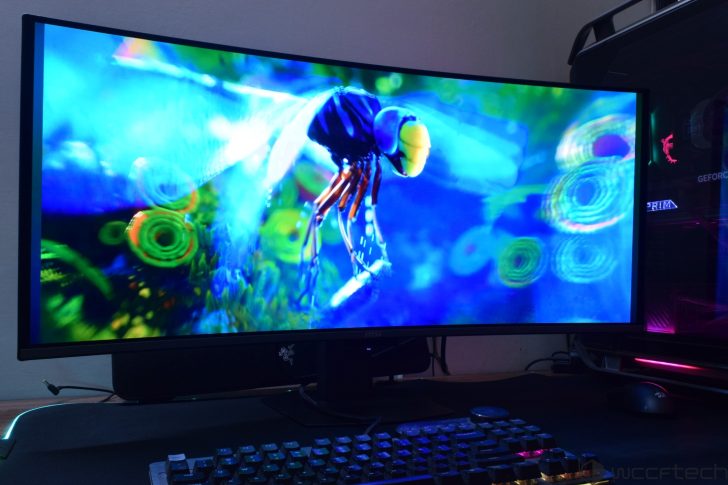
The overall look and feel when the monitor is running is insanely good, and you can see the colors pop out with amazing blacks and great contrast on the screen.

For the ergonomic perfectionists out there, the MSI MPG 341CQR X36 comes with several modes allowing users to Swivel (30° ~ 30°), Pivot (-10° ~ 10°), Tilt (-5° ~ 15°), and adjust the height by up to 110mm. The monitor also supports a 100x100mm VESA mounting. You can use the monitor in horizontal and vertical angles.
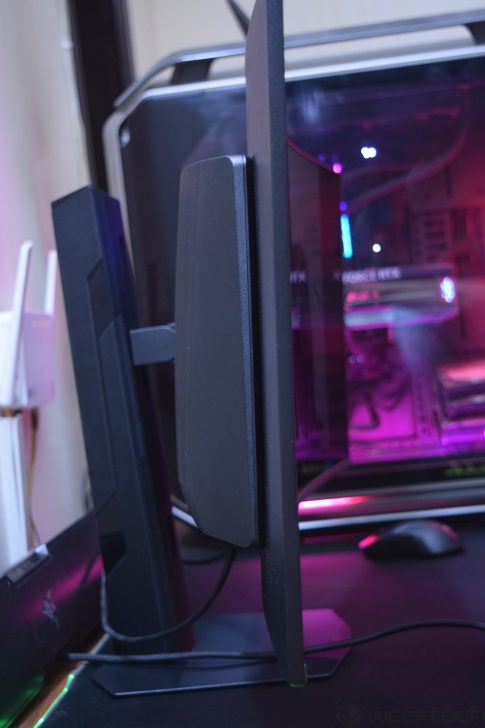
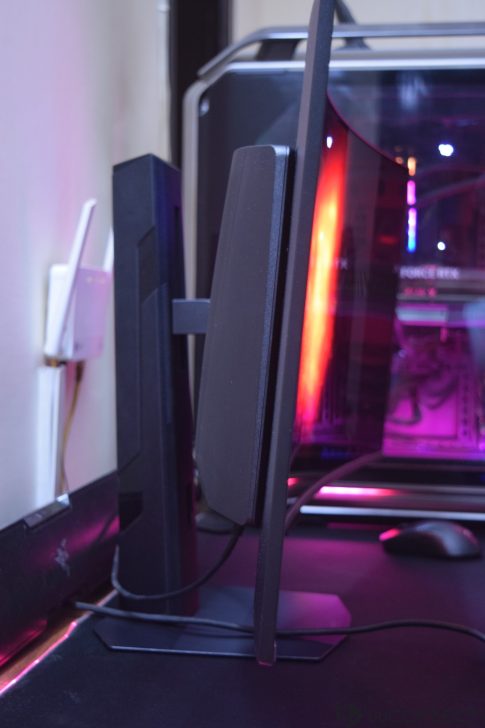
The ports on the backside include 2 HDMI 2.1, 1 DP 2.1, a USB Type-C port with 98W power delivery, two USB 3.2 Type-A, 1 USB Type-B, a headphone (out) port, and a power port.

The MSI MPG “X” series also comes with a new OLED Care 3.0 sensor on the front, which is one of its highlighted features.
MSI MPG 341CQR X36 QD-OLED Gaming Monitor: OSD
Coming to the OSD, in Standby mode, the monitor gives you the option to select the type of output you have it plugged into. The options include HDMI 1, HDMI 2,& and the DP port.
First up are the AI Navigator options, which are AI-tuned features that leverage the built-in NPU and the front-mounted sensor. These include AI Crosshair, AI Vision, AI Care Sensor, AI Brightness, and AI Light Sensor. The AI Care Sensor works by sensing human presence. Several settings can be adjusted, such as Wake-On Approach, Lock-On Leave, Adaptive Dimming, Auto Brightness, color temp control, and it supports both monitor mode (works across multiple platforms) and system mode (Windows 11 presence interface).
With AI Vision, you get three levels that enhance overall brightness and color saturation in games and videos. Plus, if you want to go for higher brightness, then there’s already the new EOTF boost feature in the monitor, which delivers higher luminance under the same APL conditions, enhancing the experience beyond the Peak 1300 nits brightness mode.
One of the most useful updates with OLED Care 3.0 is the 24-hour interval, which forces a mandatory panel refresh after 24 hours versus the existing 16-hour timeframe. The auto panel refresh notification also pops up between 4 and 24 hours rather than every 4 hours in OLED Care 2.0. So no longer will you be distracted by those annoying pop-ups, and the screen will give you more time to enjoy the QD-OLED experience before forcing a panel refresh.
The main OSD gives you the option to select between the Gaming Intelligence, Image, and config settings while also providing details of which mode is currently enabled at the top. It also shows the navigation buttons, making it easy for users to access the different menus.
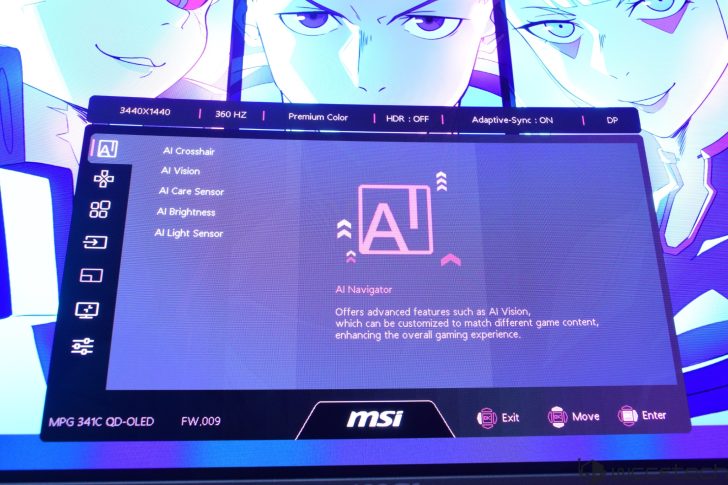
MSI’s Gaming Intelligence Engine, or G.I., is the main highlight of the OSD, which includes KVM, Smart Crosshair, and Optix Scope. With the smart crosshair enabled, it will display an on-screen crosshair that can change color on the go so that it doesn’t overlap with the background color displayed on the screen. The AI Vision option will also help to enhance brightness and offer increased saturation in darkly lit scenarios.
The Gaming menu gives you even more options to configure the display, such as setting a “Game” specific mode. This is set to “Premium Color” by default, but you can set it to other modes, such as for Racing, FPS, RTS, or RPG games, which enable pre-configured profiles, or use the “User” mode that enables your profile. There are also Night Vision, AI Vision, Refresh Rate, Alarm Clock, DSC, and Adaptive-Sync options.
Then we move over to the “Professional” menu, which gives you Pro Mode, Low Blue Light, and Image Enhancement options. The Pro Mode has Eco, User, Anti-Blue, Movie, Office, sRGB, and Adobe RGB configurations, while the Image Enhancement option lets you configure the image sharpness using Weak, Medium, Strong, or Strongest modes. I kept this option off, but for users who like more sharply defined details, the option will be there for them.
Moving to the “Image” settings, we have the option to slide between different levels of Brightness, Contrast, Sharpness, Color Temperature, Screen Size, and DisplayHDR modes. The Input Source menu lets you select between the different input sources that you may have the screen connected to. There are two HDMI, 1 DP, and 1 Type-C inputs, and there’s also the Auto Scan feature, which is kept on by default. The monitor also comes with a console mode option, which enables HDMI 2.1 with its full 48 Gbps functionality for a true UWQHD 120Hz experience. Last of all, you can configure the Navi (Navigation) key itself to your liking.
The main settings menu allows you to change the Language of the OSD, Transparency, OSD timeout, RGB LED, Power Button, and Info. On Screen, HDMI CEC, while the MSI OLED Care option lets you select between Pixel Shift, Panel Protect, Protect Notice, Static Screen Detection, Multi-Logo, Task Bar, and Boundary Detection options. It also displays the usage time, which in our case was 0 minutes from the factory, so a fresh display.
The main settings menu allows you to change the Language of the OSD, Transparency, OSD timeout, RGB LED, Power Button, and Info. On Screen, HDMI CEC, while the MSI OLED Care option lets you select between Pixel Shift, Panel Protect, Protect Notice, Static Screen Detection, Multi-Logo, Task Bar, and Boundary Detection options. It also displays the usage time, which in our case was 0 minutes from the factory, so a fresh display.
MSI MPG 341CQR X36 QD-OLED Gaming Monitor: Display and Performance
Coming to the display aspects and performance, particularly in gaming, the MSI MPG 341CQR X50 QD-OLED gaming monitor is designed around the 1440p UWQHD segment, and as such, it offers a refresh rate of 360 Hz. It comes with a backlight of up to 300 cd/m2 and a contrast ratio of 1.5M:1. The QD-OLED design offers some brilliant color accuracy.
The two big changes are the heightened HDR brightness levels of 1300 nits which the monitor was able to reach without any issues, and the EOTF boost which does well in automatically adjusting the contrast and brightness levels, but overall for those who still prefer a nice mix of Black levels with higher detail, the Peak 1300 nits brightness is the way to go minus EOTF.
Furthermore, the DarkFilm Armor really helps in improving those black levels when your room is fully lit up. Reading on the 341CQR X36 is refined with the new Stripe Pixel technology, making text appear sharper and much clearer than previous-gen models.
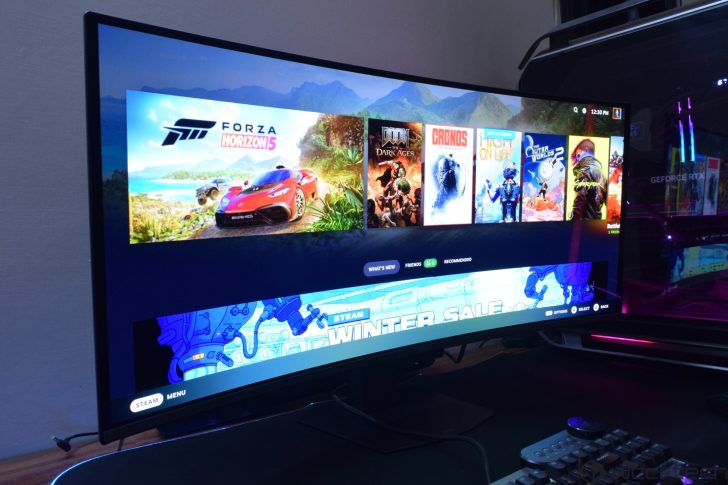
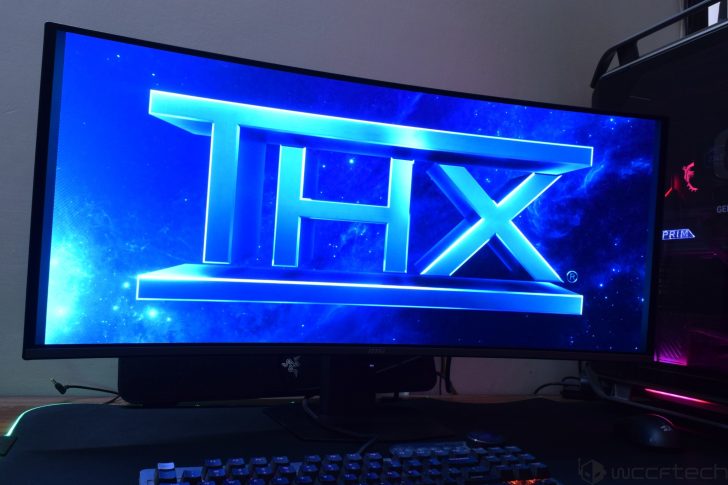
The viewing experience while browsing the web, watching videos, and doing basic office work is simply top-notch. QD-OLEDs don’t disappoint at all, and MSI has some of the best displays in the market right now. You also have the option to change the aspect ratio. The MSI MPG 341CQR X36 also offers great sRGB color accuracy with solid white accuracy, expected from a high-end QD-OLED.
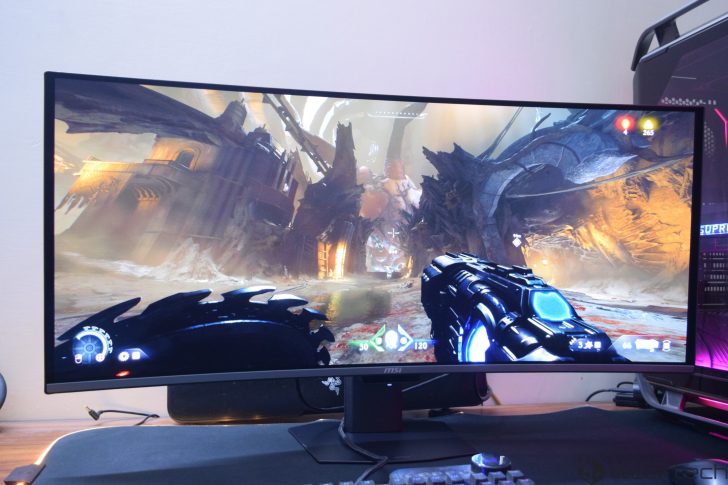
As for gaming, the 1440p ultra-wide resolution does allow most games to run close to that 360Hz mark. Especially if you are going to use NVIDIA’s DLSS 4 MFG mode, which enables boosted FPS and a responsive gameplay experience on the 341CQR X36. The monitor is one of the few that features motion blur reduction mode, or BFI. This works at 120Hz or 180Hz fixed refresh rates, offering the motion clarity of the full 360Hz at those FPS ranges.
eSports games such as Marvel Rivals and Apex Legends deliver that high-performance and adrenaline-infused action at 360Hz with absolutely zero input lag and tear-free gaming. Moving over to AAA titles such as Forza Horizon 5, Borderlands 4, and Battlefield 6, you get a fantastic experience. The frame rate remains in the 100-300 FPS range as we are using an RTX 5090 with MFG at 1440p, but besides the panel performance, the viewing experience remains absolutely awesome.
To be very honest, I’d recommend that before upgrading your PC, you have to decide which monitor you are going to get, and if you are deciding on a high-refresh-rate QD-OLED or standard OLED monitor, then you can start working on your PC components. You really have to take advantage of your hardware, and getting a good monitor goes a long way in enhancing your PC gaming experience.
MSI MPG 341CQR X36 QD-OLED Gaming Monitor: Conclusion
MSI has spent the last year mostly updating its 27″ and 32″ range, and it did so with some phenomenal QD-OLED offerings within the MAG and MPG lineups. The company offered a full suite of flat and curved monitors with the latest OLED technologies, faster refresh rates, and many more updates, such as EOTF boost, higher VESA HDR certifications, OLED Care 3.0, and many more.
MSI is now starting 2026 with a return to the UWQHD Ultra-Wide monitor segment, and the company is coming back with a bang. The MPG 341CQR X36 QD-OLED is one of the best UWQHD monitors that we have tested, offering stunning colors, amazing image and text clarity, and an awesome experience for any type of user, whether they be gaming or using this monitor for productivity/content-creation.
Versus the older MPG 341CQR model, the X36 variant boasts a higher refresh rate of 360Hz (vs 240Hz), a higher brightness of up to 1300 nits, is DP 2.1-ready, features amazing Black Levels thanks to the Dark Armor Film, and adopts the 5th Gen QD-OLED panel with Stripe pixels that improve image & text clarity. These are all solid upgrades, ones that make the 341CQR X36 from MSI a top choice for those who are looking for an ultra-wide curved QD-OLED monitor.
Things I liked about the MSI MPG 341CQR X36 QD-OLED Monitor:
- Best Ultra-Wide & Curved QD-OLED We’ve Tested so far
- Higher 360Hz refresh rate vs 240Hz on the older model
- Impressively low input lag
- Solid Design & Build Quality
- Great IO with DP 2.1
- Amazing Gaming Experience
- Loaded OSD with lots of tuning options
- Built-in NPU for OLED Care 3.0
- No intrusive panel refresh pop-ups
- Deep blacks and great color accuracy & text clarity with 5th Gen OLED panel
- More resistant to scratches & no more the annyoing purple tint thanks to DarkFilm Armor
- OLED Care with 3-Year Warranty
Things I would love to see:
- The firmware update process is still a bit tricky for newcomers

You can find additional information about our hardware review process and ethics policy here.
VIA: wccftech.com