



Your motherboard may not increase the FPS, but it helps your components reach their full potential, eventually making a positive impact on the performance. In 2025, we saw numerous motherboard launches, but we already had plenty from the last year as well, offering support to the latest-gen processors. We have tested several motherboards ourselves, compatible with both the latest AMD and Intel processors, and we already have the charts and stuff that conclude the winners.
It can be quite cumbersome to choose the best one when there are dozens of motherboards for every small price range, and this is why we have curated a list for you. If you want the best bang for your buck, then you need to take a look at the best motherboards for gaming or overclocking we have for every budget. From budget to enthusiast-grade models, we’ve listed six top motherboards to consider for your next gaming build, especially if you want to squeeze every bit of performance from your components.
Best Motherboard Picks for Gaming [2025 Edition]
Best Overall (AMD): ASUS ROG Strix X870E-E
Sale
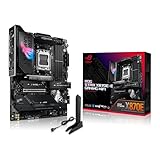
ASUS ROG Strix X870E-E Gaming WiFi
A perfect motherboard for everyone, gamers and non-gamers included. At a sub-$400 price tag, it offers teriffic VRM, excellent connectivity, and superb component support, enough for most enthusiasts.
| Chipset | Socket | VRM | Memory Support | Total USB Ports | PCIe Slots | Storage | WiFi |
|---|---|---|---|---|---|---|---|
| X870E | AM5 | 18+2+2 | 4x DIMM, 256 GB DDR5, up to 8400 MT/s | 24 | 1x PCIe 5.0 x16, 1x PCIe 4.0 x16 | 3x M.2 PCIe 5.0, 2x PCIe 4.0, 4x SATA | WiFi 7 |
| PROS | CONS |
| + Excellent power delivery | – Q-release mechanism may scratch the GPU connector |
| + Incredible connectivity | |
| + Plenty of onboard utilities |
An ideal gaming motherboard shouldn’t cost you an arm and a leg, and at the same time should offer a well-rounded feature set that meets the demands of most gamers. The ROG Strix X870E-E Gaming WiFi is all about that and doesn’t disappoint at all. From features to aesthetics, it brings a balanced mix that is more than sufficient for optimal performance, easy upgradeability, and excellent component support. ROG Strix X870E-E Gaming WiFi uses the best possible chipset to offer improved component support and allows users to bump up their CPU or memory frequency with ease, thanks to its incredibly powerful VRM.
Its robust 22 power phase VRM can easily push the CPU to its limits, which is exactly what you would want if you are looking for some extra performance. This is particularly excellent for Ryzen 9000X3D CPUs that tend to overclock much better than their predecessors, but anything in the mid-range or high-end category from any of the Ryzen 7000 or 9000 family will be ideal on this board. One of the most notable features on it is its rear I/O. It’s filled with a plethora of fast USB Type A ports as well as 4x USB-C ports that offer 10-40 Gbps of speed. Similarly, the onboard features are plenty, offering a power/reset button and a Q-CODE LED for troubleshooting. Except for the controversial Q-Release mechanism for the PCIe x16 slot, there is nothing to complain about here.
Best Overall (Intel): GIGABYTE Z890 AORUS Master
Sale
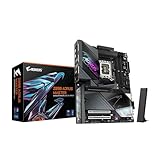
GIGABYTE Z890 AORUS Master
The Z890 Aorus Master can max out the potential of Arrrow Lake CPUs without breaking a sweat. Moreover, it’s extra-ordinary connectivity dominates the $300-$400 price range.
| Chipset | Socket | VRM | Memory Support | Total USB Ports | PCIe Slots | Storage | WiFi |
|---|---|---|---|---|---|---|---|
| Z890 | LGA 1851 | 18+1+2 | 4x DIMM, 256 GB DDR5, up to 9500 MT/s | 23 | 1x PCIe 5.0 x16, 2x PCIe 4.0 x16 | 2x M.2 PCIe 5.0, 3x PCIe 4.0, 4x SATA | WiFi 7 |
| PROS | CONS |
| + Unmatched connectivity | – No regular HDMI or DP port |
| + Excellent memory support | |
| + Great overclocking potential |
For Intel Core Ultra 200 CPU owners, there are plenty of great options, but it’s best not to spend over $500 if your primary goal is gaming. While a sub-$200 motherboard will do absolutely great even for a processor like Intel Core Ultra 9 285K, it’s just that these models often lack enough onboard features or are lackluster in design, which can’t push your CPU or memory to their full limits. While the GIGABYTE Z890 AORUS Master won’t help you achieve world records in CPU or memory overclocking, it’s going to be sufficient for letting you experiment with the clocks and voltages to optimize your system to the max.
There is no debate on how good Intel Arrow Lake CPUs are when it comes to memory controllers, but the motherboard also plays a crucial role in achieving high memory speeds. Similarly, the Z890 AORUS Master has a robust VRM to push the CPU to its limits while its well-designed heatsinks handle VRM temperatures efficiently. Z890 AORUS Master is also one of the best motherboards for your modern devices, and you get the EZ features for a quick assembly or component uninstallation. Just keep in mind that it’s absolutely necessary to have a discrete GPU in your system if your monitor doesn’t have a USB Type C Alt DP port, as the motherboard doesn’t bring any HDMI or DP connectors for the iGPU.
Best Budget: MSI B850MPOWER

Check out the MSI B850MPower review
| Chipset | Socket | VRM | Memory Support | Total USB Ports | PCIe Slots | Storage | WiFi |
|---|---|---|---|---|---|---|---|
| B850 | AM5 | 12+2+1 | 2x DIMM, 128 GB DDR5, up to 10200 MT/s | 16 | 1x PCIe 5.0 x16, 1x PCIe 4.0 x4 | 2x M.2 PCIe 5.0, 2x PCIe 4.0, 2x SATA | WiFi 7 |
| PROS | CONS |
| + Extremely good at overclocking | – Fewer USB ports |
| + Additional 8-pin PCIe connector | – Compatibility issues with a few memory kits |
| + Incredibly good memory, OC potential | |
| + Affordable |
This $229 motherboard owns every B850 series motherboard. We have been fortunate to test it out and found that no other B850 chipset motherboard comes close when it comes to overclocking. It’s incredible how a sub-$250 motherboard is not just outperforming every other premium B850 model, but is also trading blows with high-end X870/X870E motherboards. Whether you want to push your memory to the highest rated speeds with ease (or even higher) or you want the best VRM temps while your CPU is running at a high clock speed for a longer period, look no further. The MSI B850MPower has no competition.
This small M-ATX motherboard has made headlines, thanks to its robust VRM, excellent circuitry, and comprehensive overclocking tool suite that can push high-end Ryzen CPUs to their limits. If you’re looking for the best possible gaming motherboard at the lowest price, this is it, but just keep in mind that it does come with a few caveats. First of all, you will see fewer USB ports and SATA ports, which might be a dealbreaker for some. Moreover, good overclocking results don’t necessarily guarantee a noticeable FPS increase in games, which may leave it no more useful than a typical budget B850 motherboard. It’s also important to keep in mind that its availability isn’t good, and you won’t be able to find it on most retailers.
Best Budget Alternative: ASRock X870 Nova WiFi
Sale
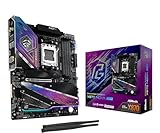
ASRock X870 Nova WiFi
Brings decently powerful specs and features for an affordable price tag and looks dope as well. While not as good as B850MPOWER in OC, it’s adequate in overclocking and performance in general,
| Chipset | Socket | VRM | Memory Support | Total USB Ports | PCIe Slots | Storage | WiFi |
|---|---|---|---|---|---|---|---|
| X870 | AM5 | 18+2+1 | 4x DIMM, 256 GB DDR5, up to 8400 MT/s | 20 | 1x PCIe 5.0 x16, 1x PCIe 4.0 x16 | 2x M.2 PCIe 5.0, 2x PCIe 4.0, 1x PCIe 3.0 2x SATA | WiFi 7 |
| PROS | CONS |
| + Good power delivery | – Fewer SATA ports |
| + Adequate onboard features | |
| + Plenty of M.2 ports |
Since the availability of the B850MPOWER can be a challenge, the ASRock Phantom Gaming X870 NOVA WiFi can be an excellent alternative for those who aren’t looking for leading overclocking features. The X870 Nova WiFi might be a budget motherboard, but it competes with more expensive mid-range models. We found it to be excellent in terms of VRM thermals, and that’s one of its notable pros that helps it sustain higher CPU clocks even on high core-count CPUs. Thanks to its incredible 21 power phase VRM, CPU overclocking no longer feels like an expensive pursuit reserved only for enthusiasts.
And the X870 Nova WiFi isn’t just about CPU overclocking; it also delivers solid connectivity features as well. Just take a look at its rear I/O, you’ll find almost everything you need to connect your peripherals and high-bandwidth devices. The Clear CMOS and BIOS Flashback buttons are added for convenience for those who don’t have enough time to open the chassis, and just in case something goes wrong with the new BIOS settings. However, the PCB itself has plenty of troubleshooting options for the enthusiasts, which can come in handy. It’s just that this model has only two SATA ports, and while most gamers now prefer M.2 SSDs, it’s always better to have at least four SATA ports for added convenience.
Best Mini ITX: MSI MPG B850I Edge TI WiFi
Sale
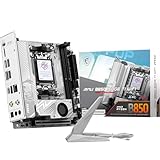
MSI MPG B850I Edge TI WiFi
Despite being small, the board boasts a solid power delivery system to push your CPU and memory for excellent gaming/productivity performance. Packed with latest connectivity and built-in WiFI 7 adapter, it’s the best mini-ITX board for its price.
| Chipset | Socket | VRM | Memory Support | Total USB Ports | PCIe Slots | Storage | WiFi |
|---|---|---|---|---|---|---|---|
| B850 | AM5 | 8+2+1 | 2x DIMM, 128 GB DDR5, up to 10000 MT/s | 11 | 1x PCIe 5.0 x16 | 1x M.2 PCIe 5.0, 2x PCIe 4.0, 2x SATA | WiFi 7 |
| PROS | CONS |
| + Excellent memory frequency support | – Fewer USB and Storage ports |
| + Powerful VRM with a dense heatsink | – Fewer onboard features |
| + Compact and cheap |
Compact PCs can play games just as well as the bigger ones. It’s just that not everyone has a spacious desk or doesn’t have so much to add to the motherboard. This is where the MSI MPG B850I Edge Ti WiFi shines: a powerful B850 chipset motherboard that costs just $250, but delivers the right amount of stuff to get you started. While mini ITX motherboards can cost way over $400, it’s best to invest so much money into a bigger form-factor motherboard, i.e., ATX, which offers you enough ports/slots for adding tons of devices.
Mini ITX, on the other hand, is perfect for small cube-like or SFF cases that cannot hold several things to start with. So, in this case, it’s best to get a budget offering like the MPG B850I Edge Ti WiFi, which, from the outside, looks small, but on the inside, has everything you would want in a modern gaming build. It can overclock well, supports incredibly high memory speeds, and also boasts PCIe 5.0 interface for both GPU and M.2 slots out of the box. It’s beautiful, and it has its own small fan for the M.2 SSD to ensure cooler operation. That said, don’t expect it to offer everything since it lacks advanced troubleshooting options, no USB 4 port, and also fewer headers/ports for everything.
Best High-End: Gigabyte X870E AORUS Master ICE X3D

Read full review of X870E AORUS Master ICE X3D
| Chipset | Socket | VRM | Memory Support | Total USB Ports | PCIe Slots | Storage | WiFi |
|---|---|---|---|---|---|---|---|
| X870E | AM5 | 18+2+2 | 4x DIMM, 256 GB DDR5, up to 9000 MT/s | 20 | 2x PCIe 5.0 x16, 1x PCIe 4.0 x16 | 2x M.2 PCIe 5.0, 3x PCIe 4.0, 2x SATA | WiFi 7 |
| PROS | CONS |
| + Robust power delivery | – Expensive |
| + Excellent thermal performance | – Only two SATA ports |
| + Enthusiast-grade features |
The X870E AORUS Master X3D ICE is the only AM5 motherboard that traded blows with the X870E Taichi in VRM thermal performance. The X870 Taichi is an excellent option for enthusiast-grade builds as well, but there are certain caveats with the board due to which we feel the GIGABYTE board will be more suitable. The X3D ICE turned out to be a powerful high-end motherboard that goes well with high-end Ryzen processors, thanks to its superb 22 power phase VRM that offers incredible stability to sustain high CPU clocks for a longer duration. The motherboard is probably one of the best in connectivity, offering dual high-bandwidth LAN ports, WiFi 7, and Bluetooth 5.4 to keep you ahead.
Of course, it is absolutely top-notch in every section, be it component support, onboard troubleshooting features, cooling, or the aesthetics, which it shines via the immersive I/O Zone AORUS lightning. It’s also probably one of the rare offerings where you get a 65W power delivery USB Type-C front port header that allows you to charge your devices through your case’s front panel USB-C connector. It appears that GIGABYTE tried to max out everything on this board while keeping the price lower than its competitors. However, this motherboard still isn’t for everyone, given its price tag of $649. If you don’t have any budget constraints, then surely it’s the embodiment of high-end performance and connectivity you won’t regret spending on.
Things to Consider When Buying a Motherboard
Reliable Power Delivery: A robust VRM is a must if you care about sustaining higher CPU clocks for a longer duration. It’s a good thing that our recommended motherboards can do it without breaking a sweat, but even if you are going with any other option, do check the VRM details on the official website. Higher power phase count, strong current support, and a good cooling solution are necessary for good VRM performance.
Modern Connectivity: Good connectivity doesn’t mean you should only opt for WiFi 7 and 10G LAN ports. Those are overkill already, and if your motherboard already has something like a WiFi 6, 2.5G LAN, and the latest Bluetooth version, you should then take a look at the rear I/O. It’s recommended to have as many USB ports as possible, including fast Type C ports like USB4.
Onboard Features: You won’t understand how important onboard troubleshooting features are until your system refuses to boot. While Debug LEDs are useful, having extras like a POST display, power and reset buttons, and BIOS-related switches makes your investment even more worthwhile.
FAQ
What should I look for in the best gaming motherboard?
In 2025, most motherboard models in the 800-series, specifically those with B850, X870, and Z890 chipsets, have ample good features for most gamers. It’s best to look at the VRM for stable overclocking, the PCIe standard and lane count, connectivity, and onboard options if you don’t want any compromises.
Are X870 motherboards worth the premium for gaming?
While the X870 chipset brings some benefits over the B850 chipset, these aren’t a deal breaker for gaming workloads. Except for some connectivity changes, the B850 boards are mostly perfect for gaming, considering they are still offered with powerful VRMs, Gen 5 or Gen 4 PCIe x16 slots, and excellent connectivity.
Should I choose WiFi 7 or WiFi 6/6E on my gaming motherboard?
Both are overkill for your gaming needs. Even though the latest WiFI 7 offers higher speeds and better reliability, there’s not much difference in real-world usage since WiFi 6/6E already offers a high bandwidth and great reliability too.
How future-proof are AM5 motherboards in 2025/2026?


The AM5 platform is going to support the next-gen Zen 6 processors, and this makes it a future-proof platform for at least the next two years. We may see Zen 7 being offered on AM5 as well, but it’s just speculation at the moment.
Follow Wccftech on Google to get more of our news coverage in your feeds.
VIA: wccftech.com
Related Posts

Ανακαλύψτε το Alienware Pro Wireless Gaming Headset: Το πιο Άνετο Αυτί για Gaming που Έχετε Δοκιμάσει Ποτέ!
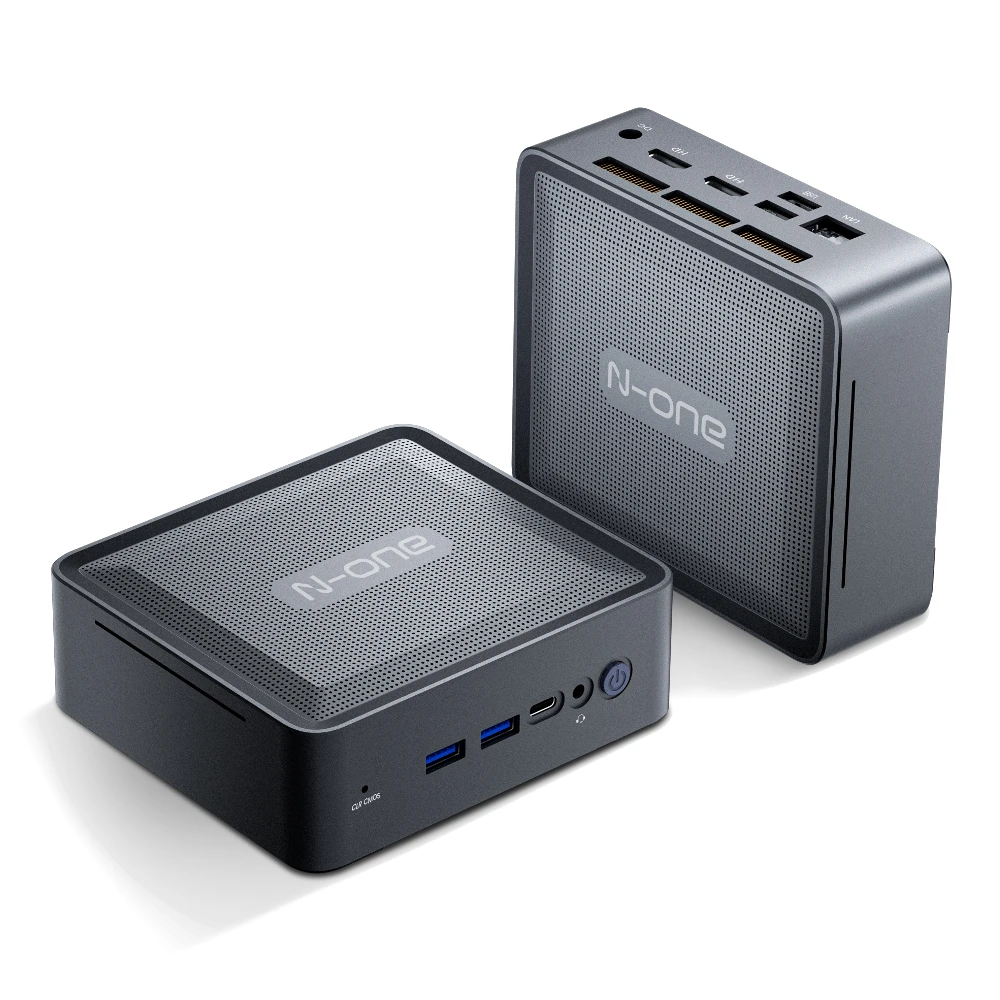
🔝 Απίστευτο! N-ONE NPC Air Mini PC: Η Μικρή Δύναμη που Χρειάζεσαι σε Μέγεθος Παλάμης! 🖥️

Το Ninkear A16 Pro Ήρθε για Να Επαναστατήσει τον Υπολογιστή σας: AMD Ryzen 7, 32 GB RAM, 2 TB – Όλα σε Απίστευτη Τιμή!