

Zettlab D4 AI NAS
Type
AI NAS
Price
$429
It can be frustrating to sort the pictures or videos according to their categories, particularly when you are sending hundreds or thousands of files to your local storage or NAS. Well, if you are a photographer, a content creator, or anyone who just wants to keep the files safe but doesn’t want to get tangled in unsorted file types, Cloud AI storage might be helpful for you. However, if privacy is a concern, you need to have a Cloud AI storage alternative, which can offer similar features on a budget.
This is why Zettlab prepared the D AI NAS series, which offers various NAS models for individual requirements. Their entry-level/budget model, called the D4, is one of the most interesting NAS devices that may actually be useful for the masses. Since having thousands of photos and videos on my phone or PC that I constantly worry about losing needs a local backup, I consider a NAS to be a very practical solution, but sorting these files is definitely challenging.
Zettlab D4 appears to offer a solution that automatically handles both storage and sorting using AI, which is what we will examine in detail in this review.
Packaging and Contents
The D4 comes in a cardboard box, and the box itself has carrying handles for easy portability. Once you open it, it’s easier to get the machine out using another cardboard support with handles. So, it’s a lovely and convenient packaging, and here is the stuff you will find inside the box:
- Zettlab D4 AI NAS
- Power adapter
- A LAN cable
- Dust filter
- User Manual
Specifications and Features
- Model/Bays: 4-bay SATA NAS (hot-swap trays)
- SoC/NPU: Rockchip RK3588, 8 cores with a 6 TOPS NPU for on-device inference
- Memory: 16 GB LPDDR4X
- Network: 2.5 GbE and 1 GbE LAN ports
- Media output: 4K HDMI output for local media playback
- Max storage: Up to 100 TB (4x 24 TB + 1x 4 TB)
- RAID: JBOD/BASIC/RAID 0/1/5/6/10
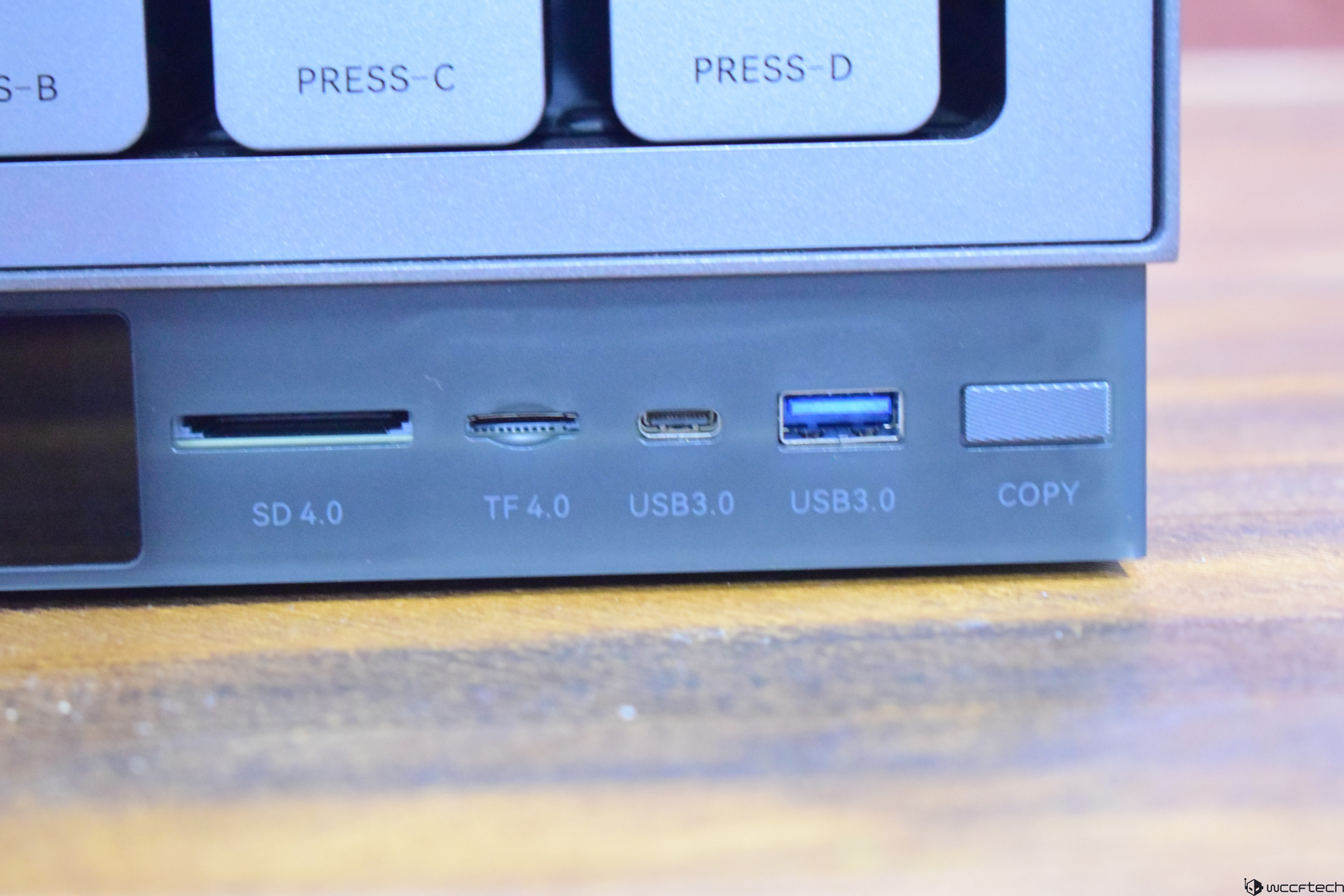
- USB: 1x USB 3.0 Gen 1 Type A, 1x USB 3.0 Gen 1 Type C
- SD Card Reader: 1x SD4.0, 1x TF4.0
- LCD: 3.49-inch
- OS: ZettOS
The Zettlab D4 is not a regular NAS, but is built to run inference workloads to organize your media such as photos and videos, using face/object/scene recognition. It analyzes keyword tagging, color-based filters, and other properties to filter and search/organize the files automatically. The machine uses the RK3588 processor, which comes with a dedicated NPU able to deliver 6 TOPS of AI performance. So, it’s not a very powerful AI chip, but it doesn’t need to have a lot of AI power due to light workloads.
Keep in mind that the D4 isn’t a generative-AI machine, and you won’t be able to do stuff like text-to-image generation or heavyweight LLM training vs the mainstream AI hardware. That said, the specs look satisfactory, but aren’t something that would blow your mind for its price tag. The D4 uses the ZettOS operating system, which appears optimized and brings a dedicated app store, which we will talk about later.
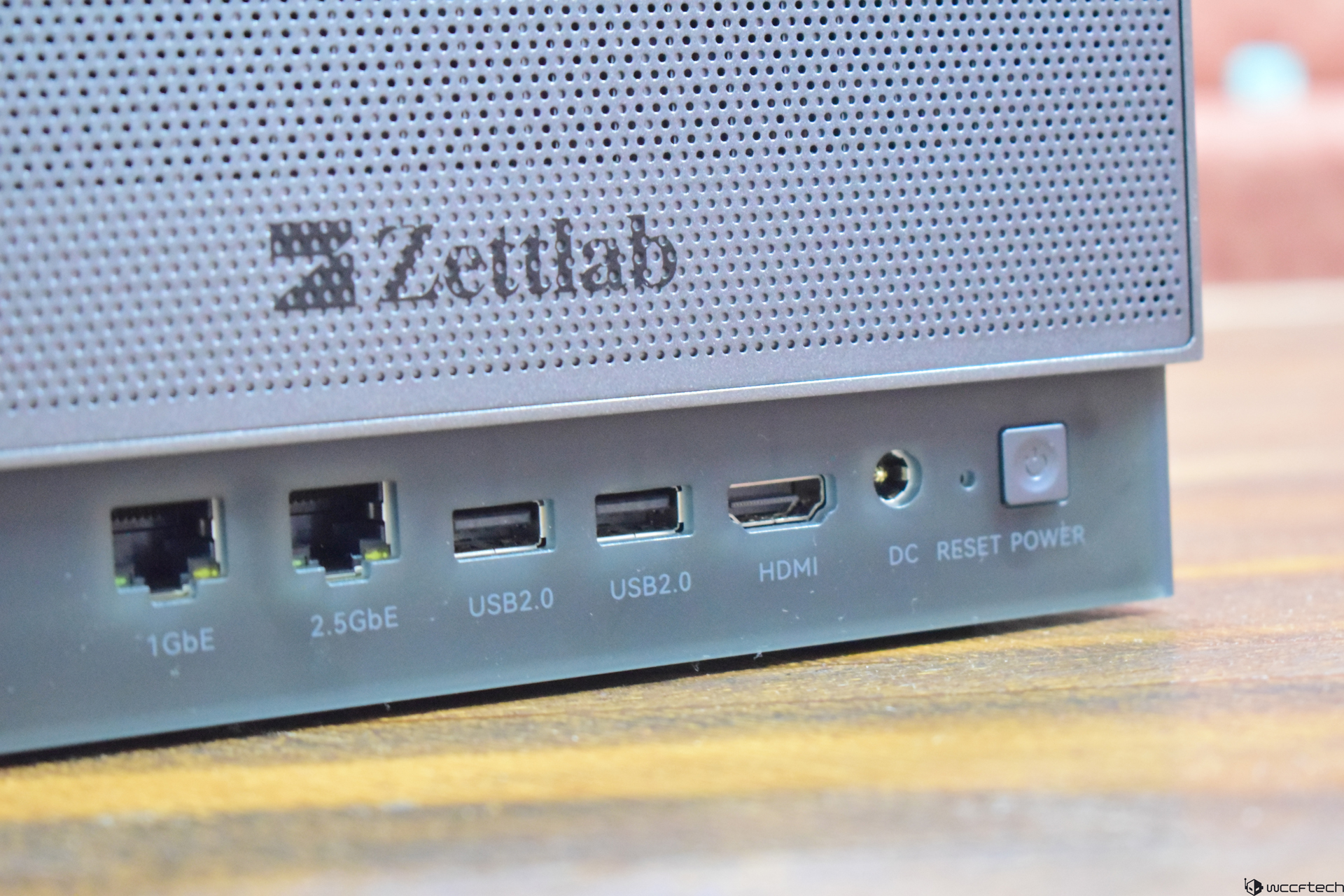
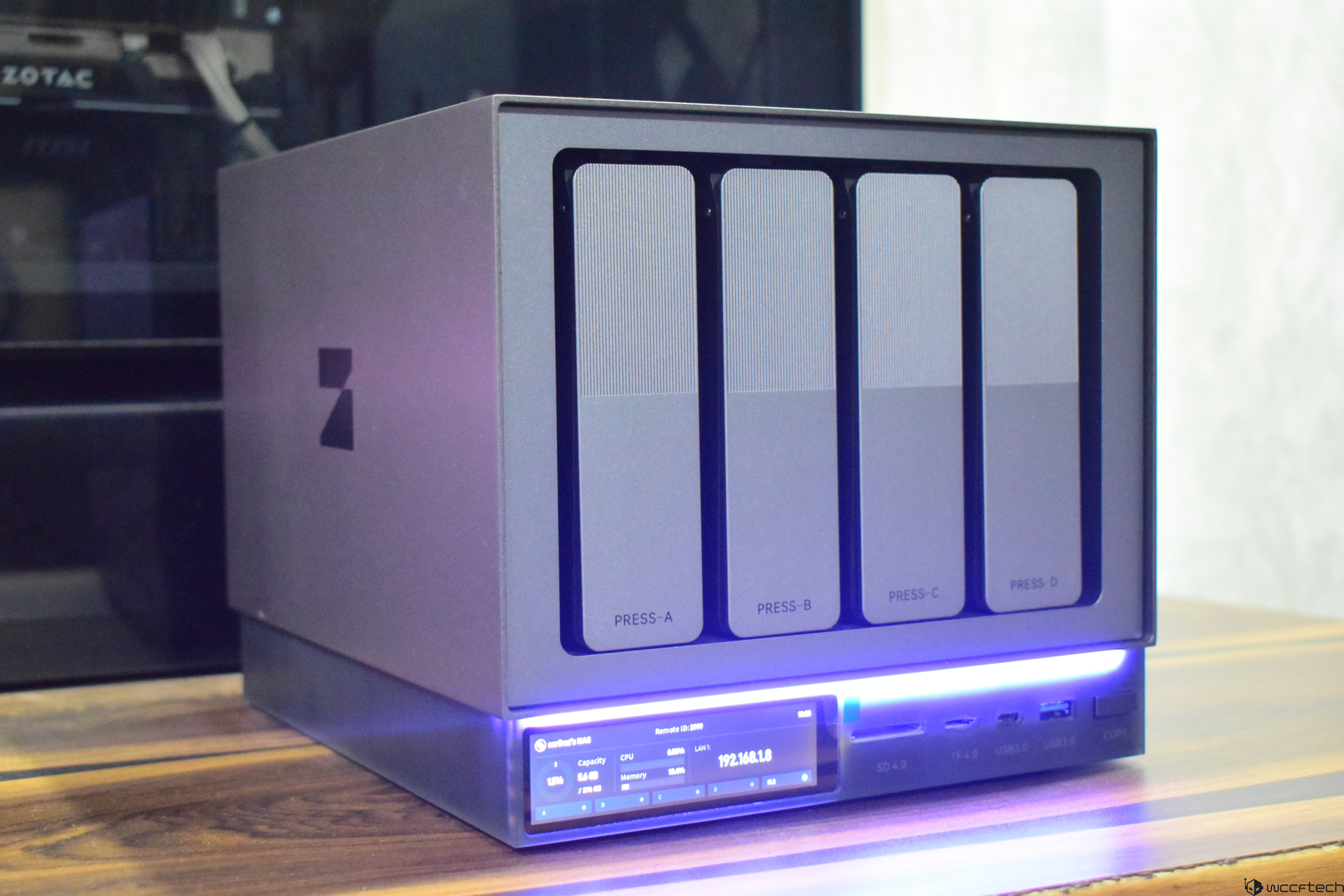
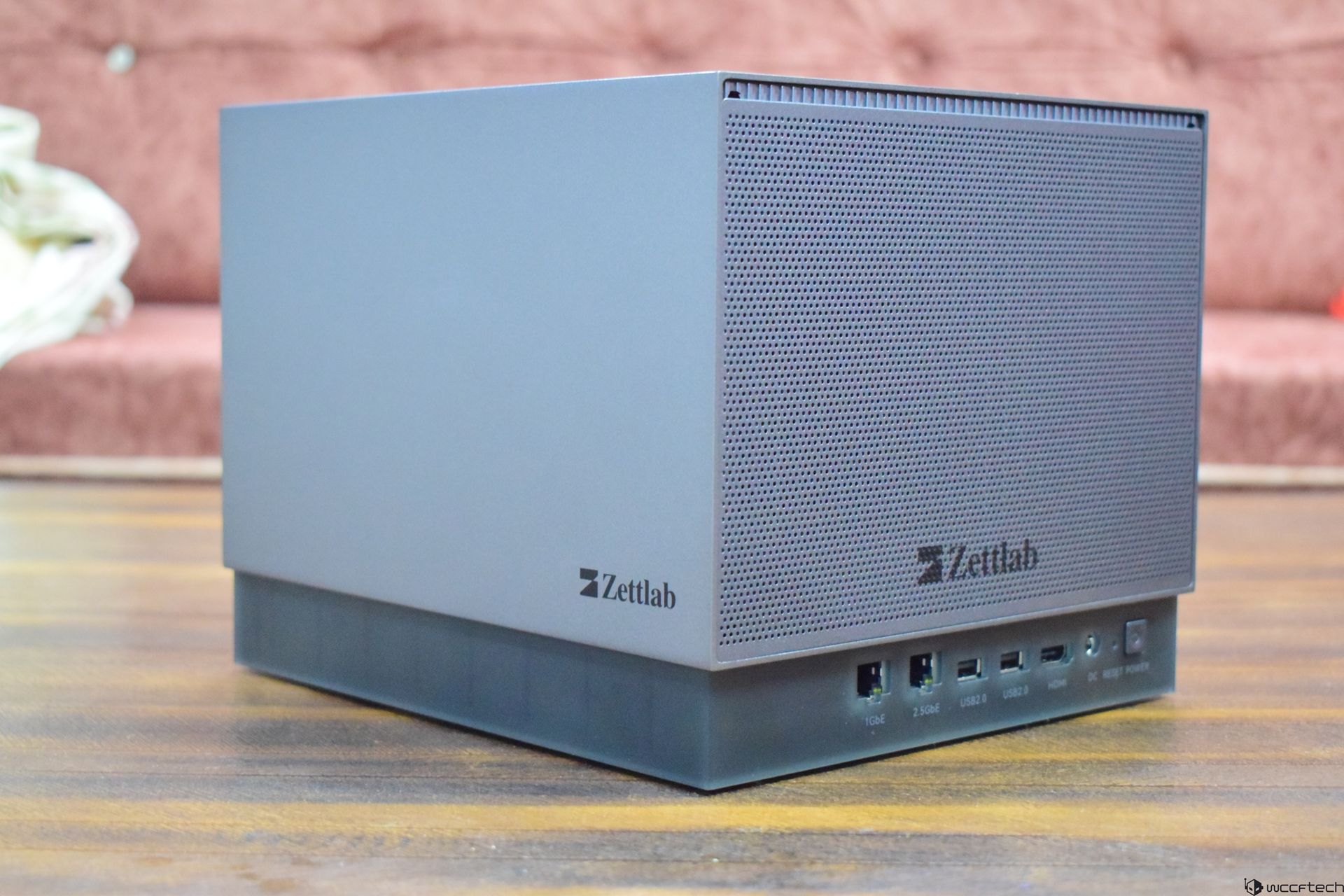
For connectivity, you will find dual LAN ports, offering decent bandwidth for most users, and there are a few USB Type A and Type C ports for adding external devices. Plus, there are SD card reader slots that could be used for a quick data transfer via a dedicated “COPY” button on the machine itself. So, overall, the D4 looks ideal for photographers and content creators who need a fast and private NAS that brings a fast search feature, helping them cut manual tagging.
Ease of Setup
Setting up Zettlab D4 is as easy as connecting a peripheral. All you need is connect the power adapter and a LAN cable to your router to access the dashboard via your PC or phone. But before you can do that, there are a few steps you may need to take if you want everything to be properly set up from the very start.
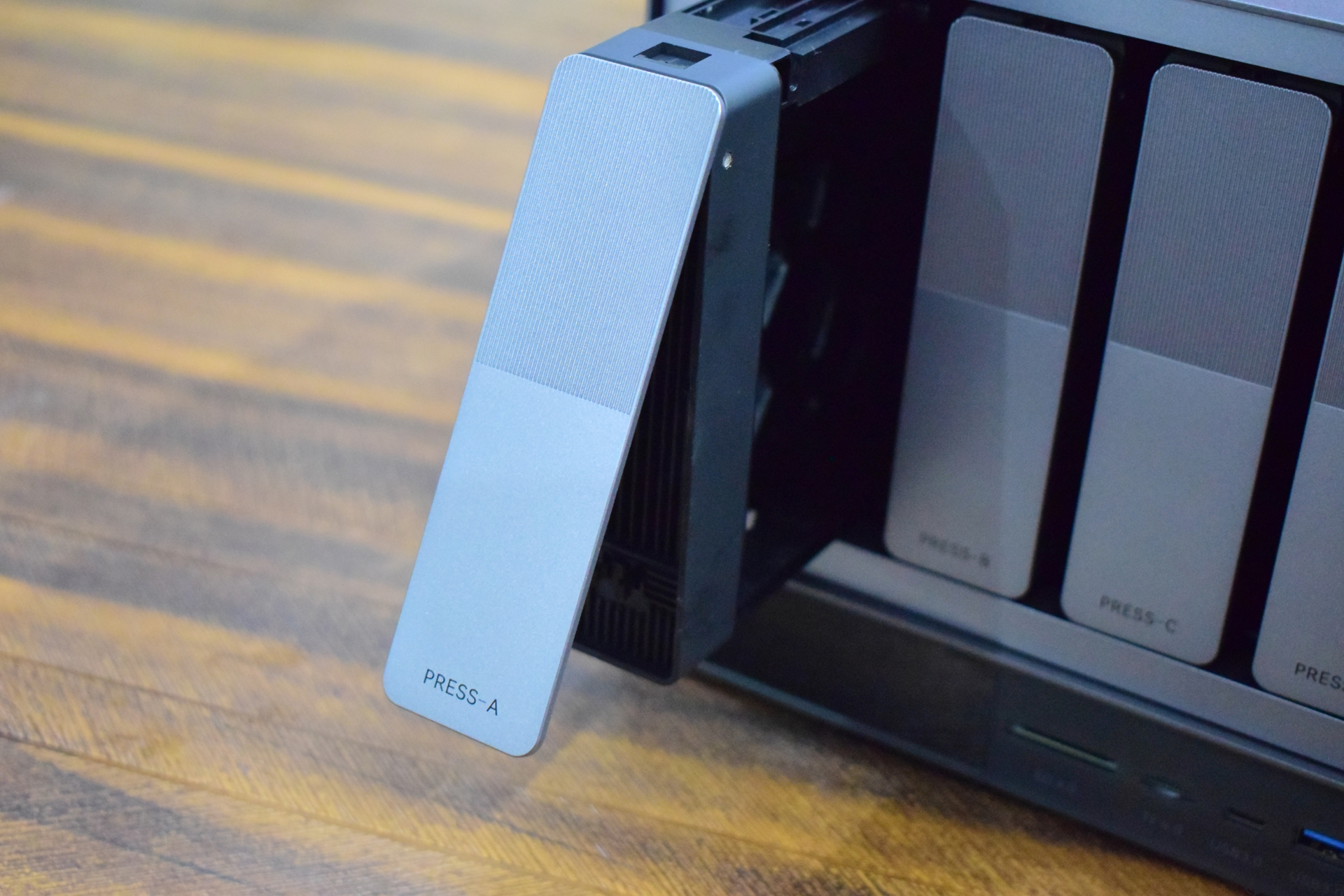
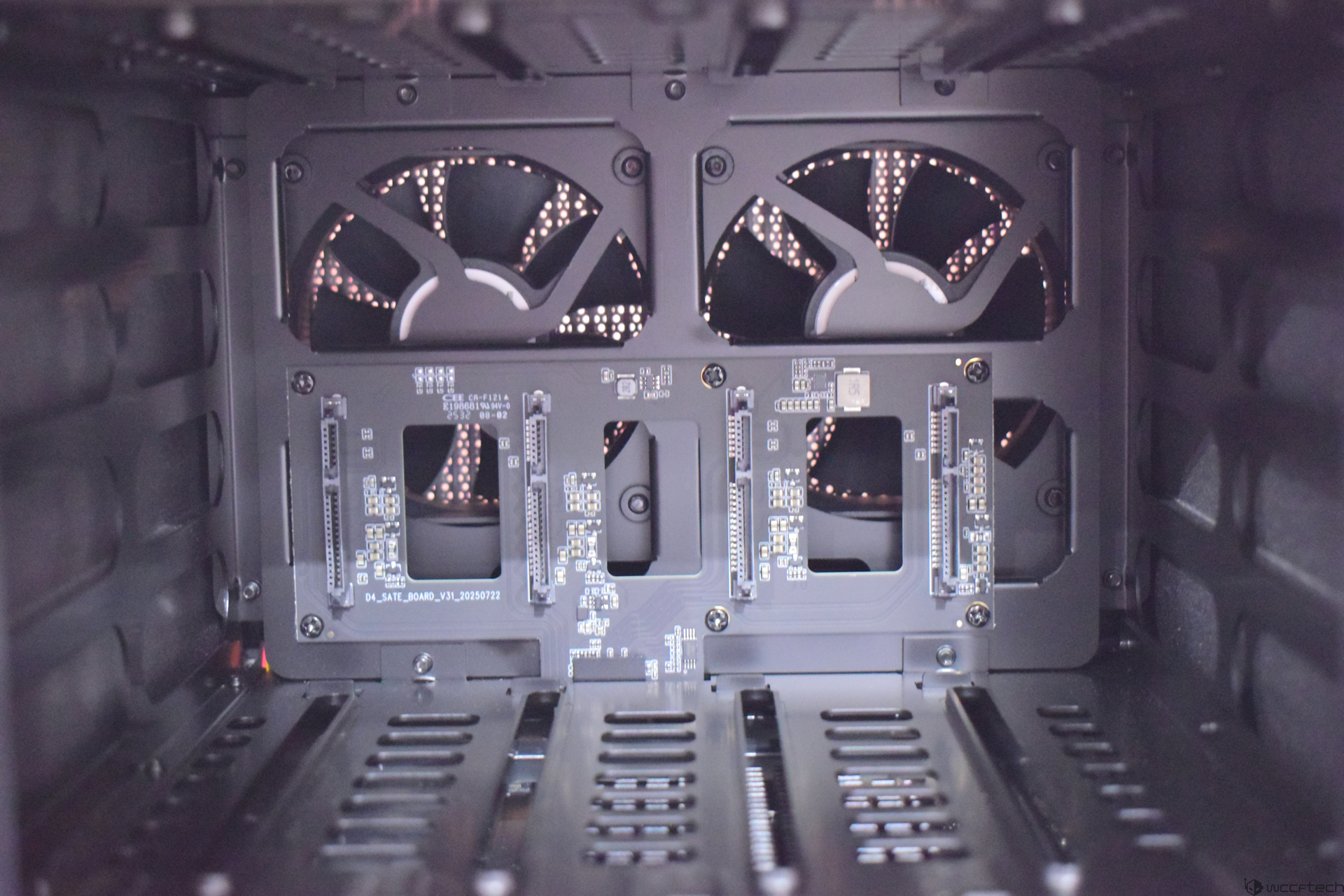
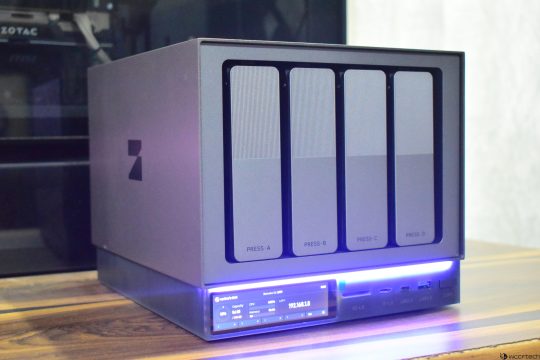
This includes adding the hard drives to the bay, and Zettlab D4 allows adding four SATA 3.5″ hard drives or 2.5″ SSDs. The maximum capacity it can support is 100 TB, which is definitely sufficient for most users. Adding hard drives is quite easy, and all you need to do is press the drive bay to unlock it, add the hard drive, and push the bay back. The connectors will automatically align, and you don’t need to connect any cables manually.
This tool-less design is just perfect for adding or removing the hard drives in a few seconds. Of course, you can use the internal PCIe NVMe SSD for storage if you don’t have a hard drive, and you can expand the storage at any time.
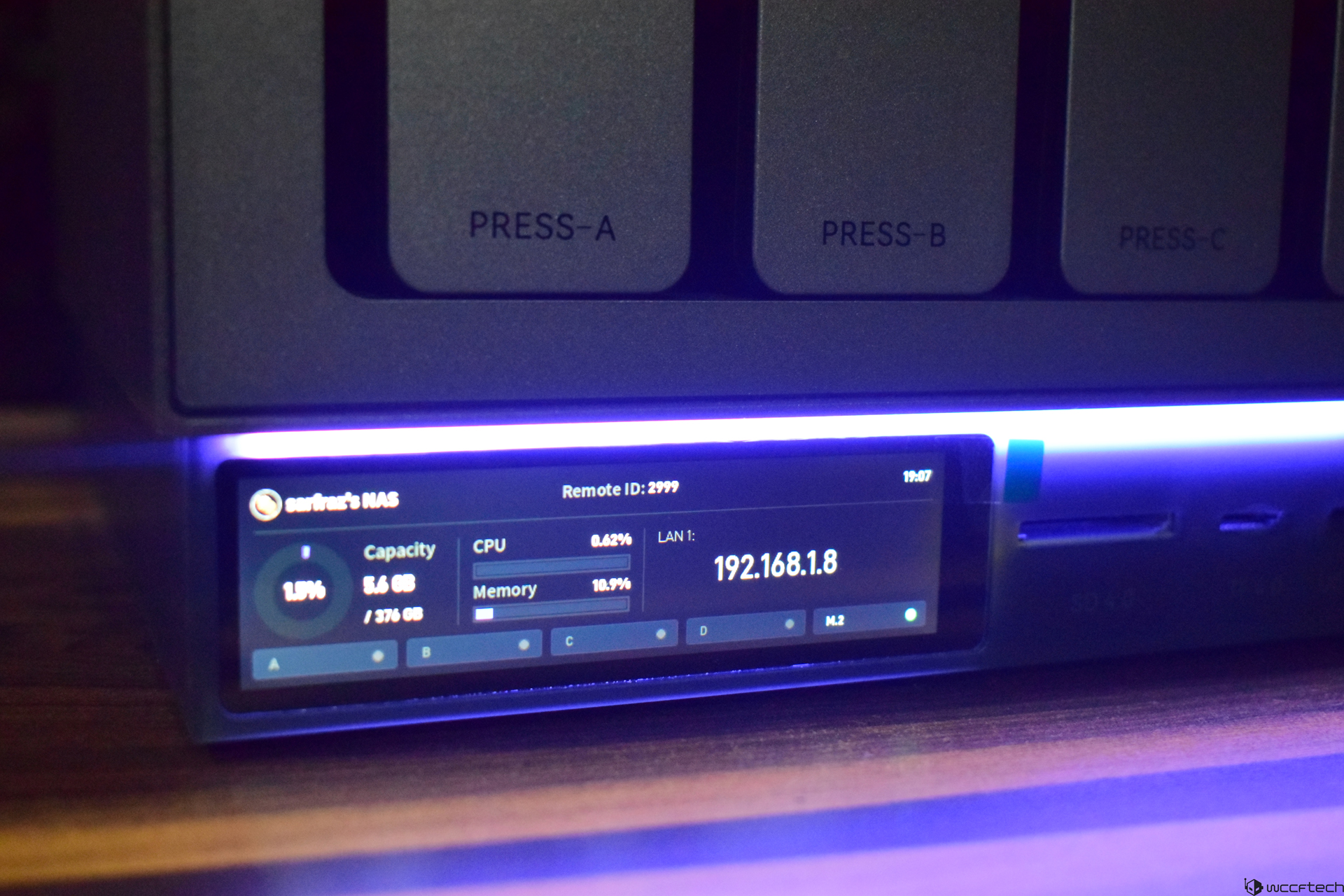
Once you have set it up as mentioned above, you can either access the ZettOS using your PC by the displayed IP address on the small display of the D4. On mobile, you will need to install the Zettlab app to perform the same action, and then create a local account to access the dashboard. Once you do that, you will see various options at the bottom of the screen if you are on a PC. On the phone, you won’t find everything like you will see on your laptop or desktop, but regardless, you have the versatility to perform most actions on both platforms.
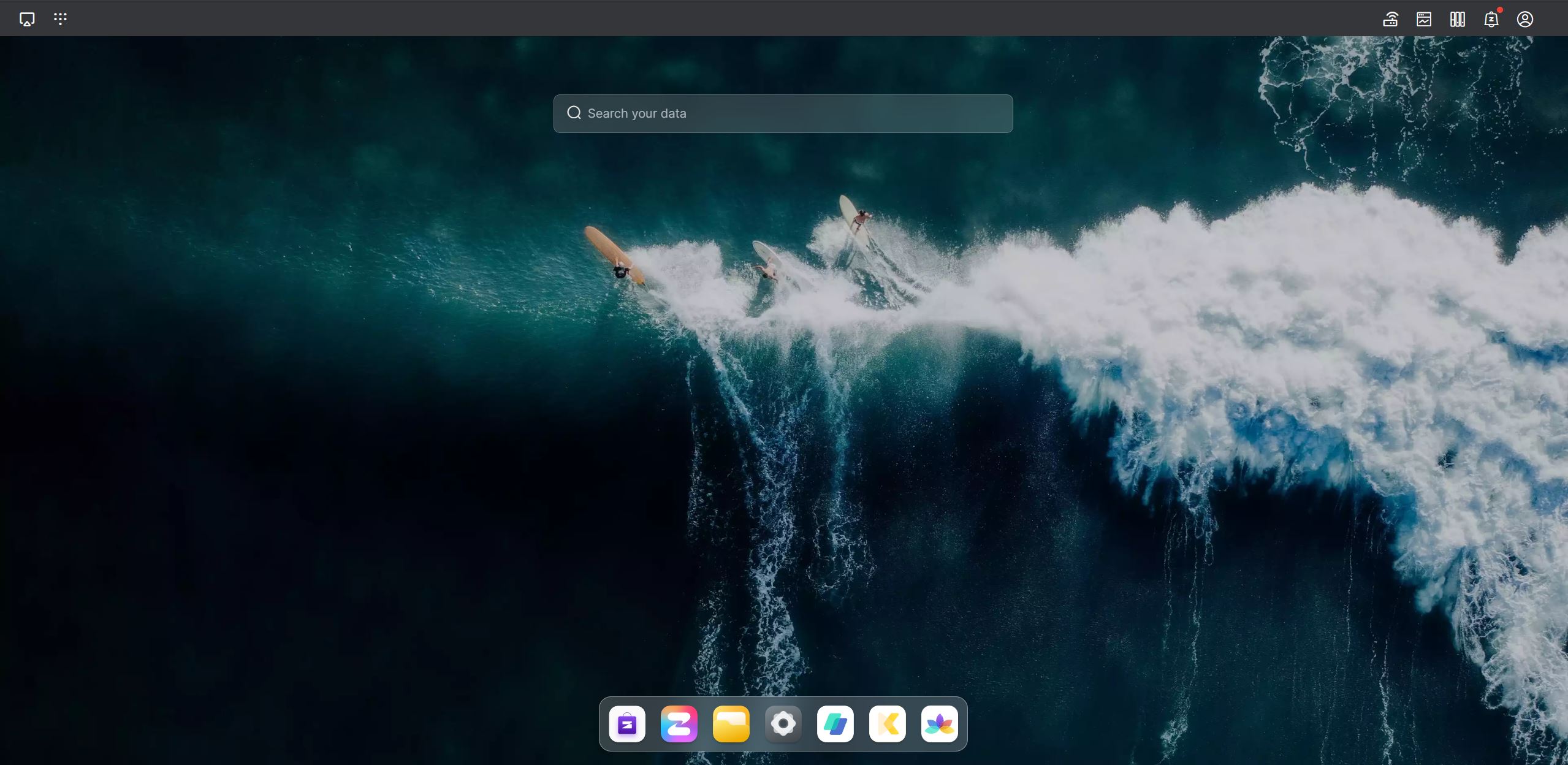
File access across devices is perhaps one of the strongest points of the D4. Since ZettOS is supported on both desktop browsers and mobile devices, you can manage all your files from your preferred device without installing any heavy client software. Moreover, if you wish to install the dedicated Zettlab app on your Windows or MacOS-based PC, you will find it on the official website. It does give you a few more advantages over the web-based interface.
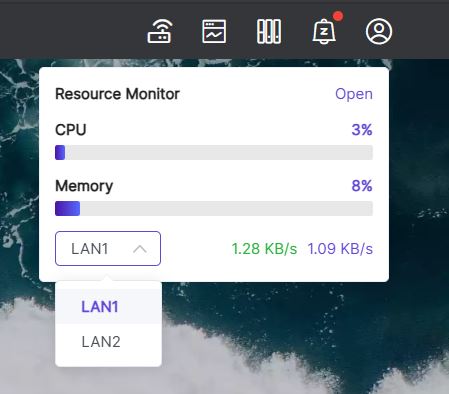
On mobile, uploading the files from the phone to the D4 is quick and responsive, but the files can take a bit of time to appear in your folders. On PC, the result is often instant. You can always check the background tasks to see the uploading progress, and since the monitoring feature is always available at the top, it’s easier to know if the process has been completed or not. Plus, you get the resource monitor tool at the top menu as well when you are on a PC.
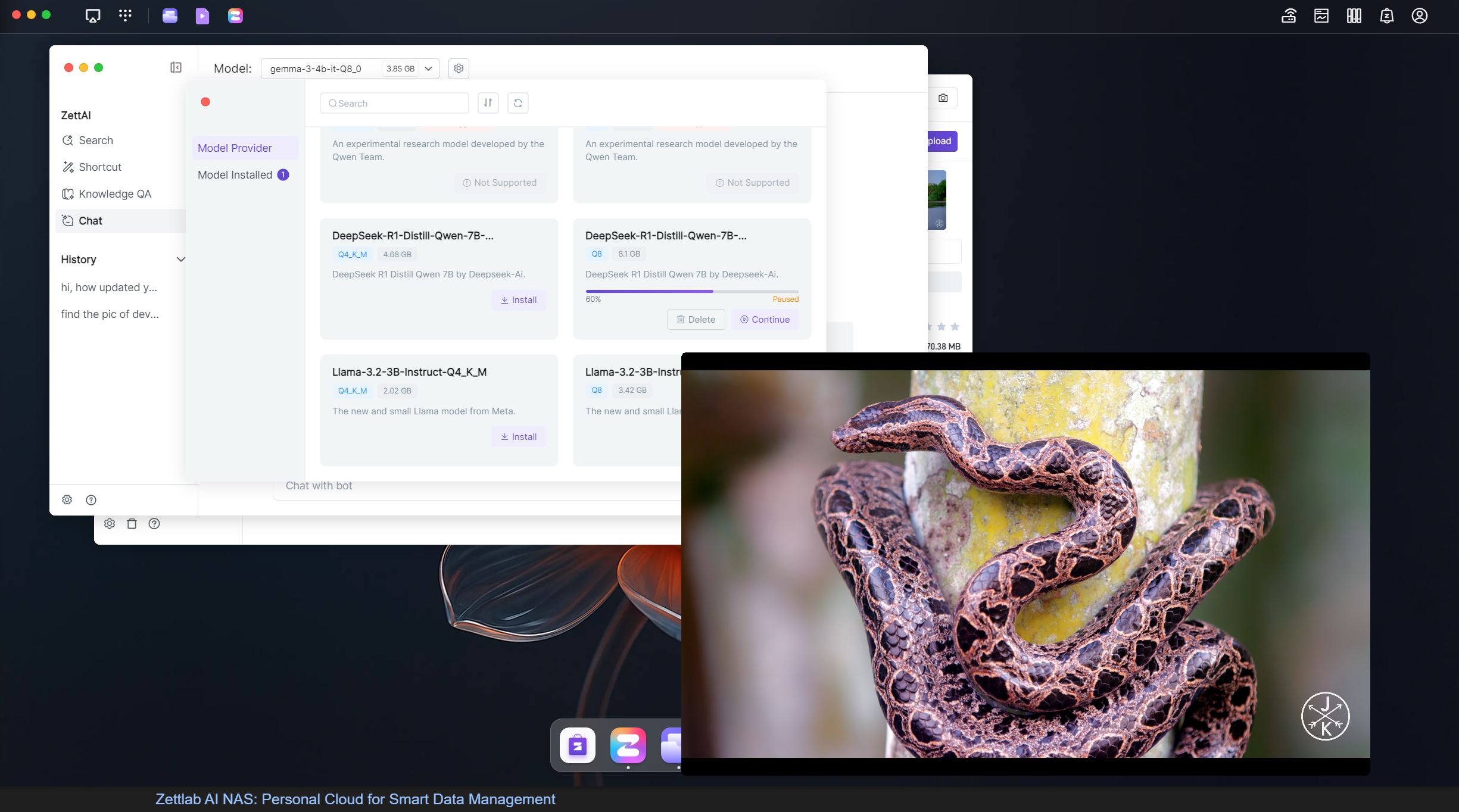
I think the D4 handles media pretty well. Apart from quickly opening the files, the video playback was also quite smooth. 4K videos didn’t have a problem running smoothly while one LLM model was downloading at the background. There are no stutters during the playback at all. The D4 appears to be fit for handling large video files efficiently, and it makes it a suitable choice for content creators for previewing footages.
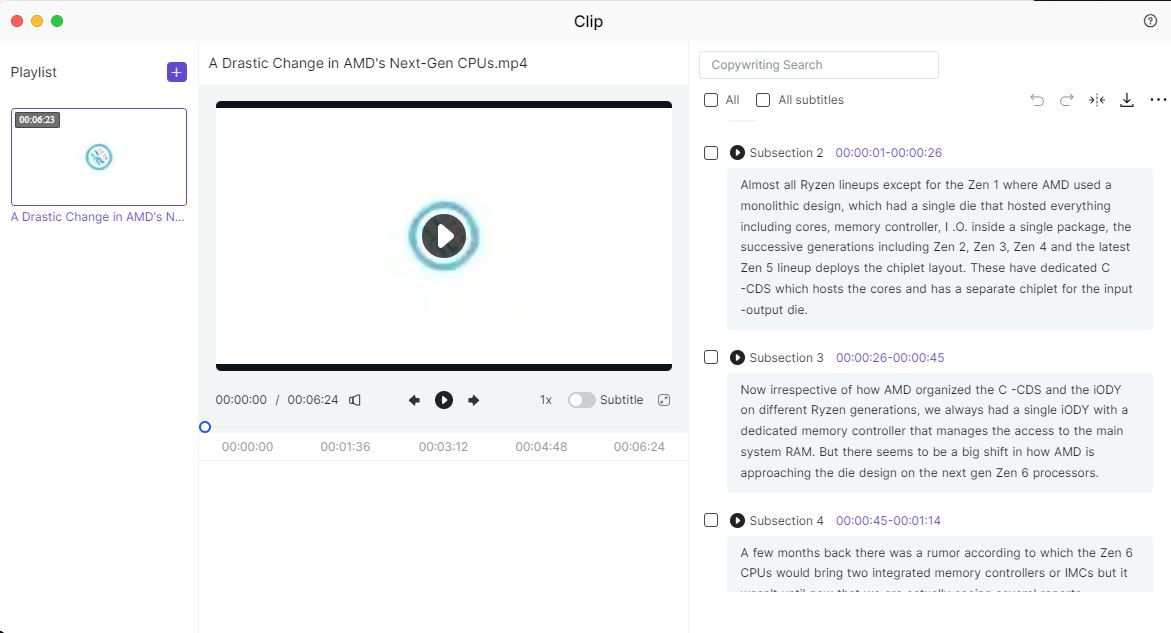
The D4 can also transcribe an audio and a video file using the app called CLIP. Once you upload an audio or a video file, the D4 will start learning the contents. In a very short time, you will have all the transcription of your audio/video file.
AI Search and Organization
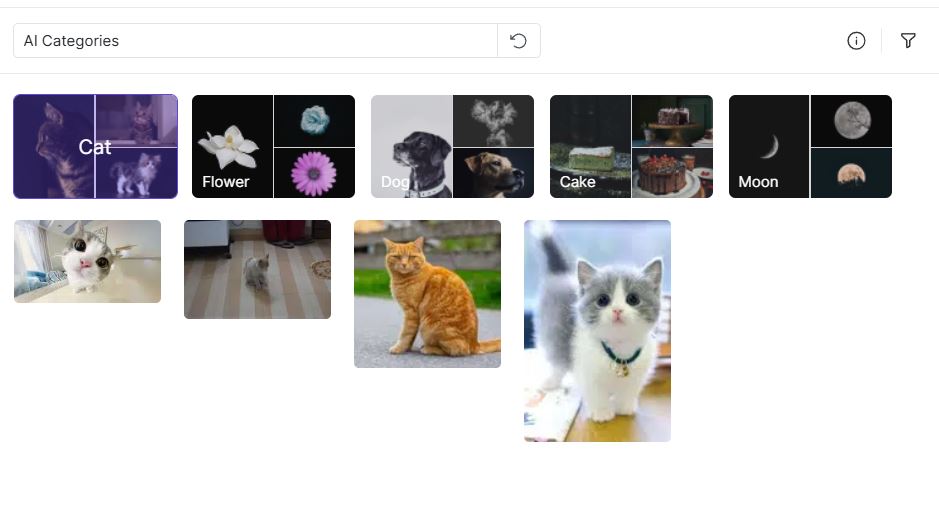
While you can make and name folders on your own, the Zettlab D4 also uses AI locally to categorize the files automatically based on the content. This speciality makes the D4 a superb choice if you find it hectic to manually find or organize photos and videos.
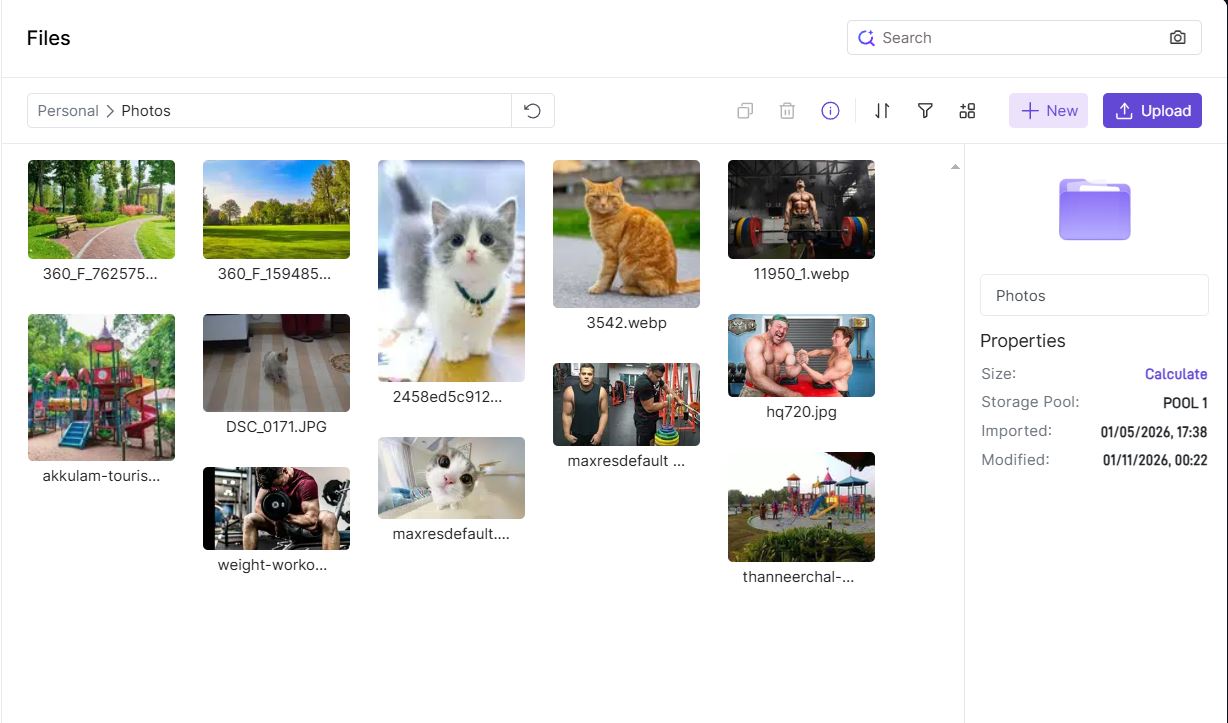
Once you upload your photos or videos, you can now perform the search operation to look for specific images. For instance, you can see I have a few random pics of cats, parks, weight lifting, and arm wrestling. The D4 instantly brings the desired results using local AI, and it is quite capable of understanding what’s going on in the images. This is even though the pics do not have proper name tags.
This helps in filtering and making dedicated folders quickly for similar images and videos or other types of files, which is really convenient compared to conventional NAS systems. Of course, there are various ZettAI shortcut functions that bring quick functions like opening files, turning off or restarting the NAS, and even adjusting the fan speed. There isn’t much you can do here, but the shortcut functions can be convenient at times.
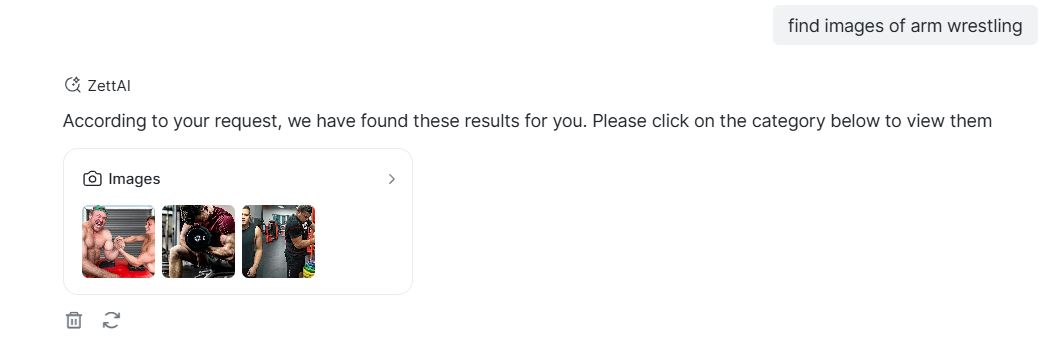
The ZettAI also brings a quick search feature, where you can describe what you are looking for and the machine will fetch the results. But if you try to use the “Chat” option, it will be absent in the browser mode. So, you will need to install the Zettlab App on your PC to have it working. You can grab it from the official website as I mentioned before.
LLMs and Apps
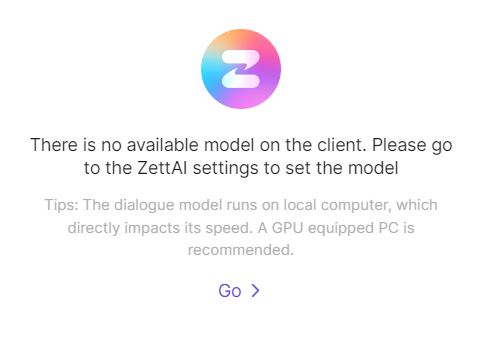
Also, the Chat function recommends having a GPU installed in your PC, and you will find various LLMs available for installation, including popular models from Microsoft, DeepSeek, Meta, and Google. The description will let you know what is supported and what’s not, and also what will be more memory-intensive based on your PC’s specifications.
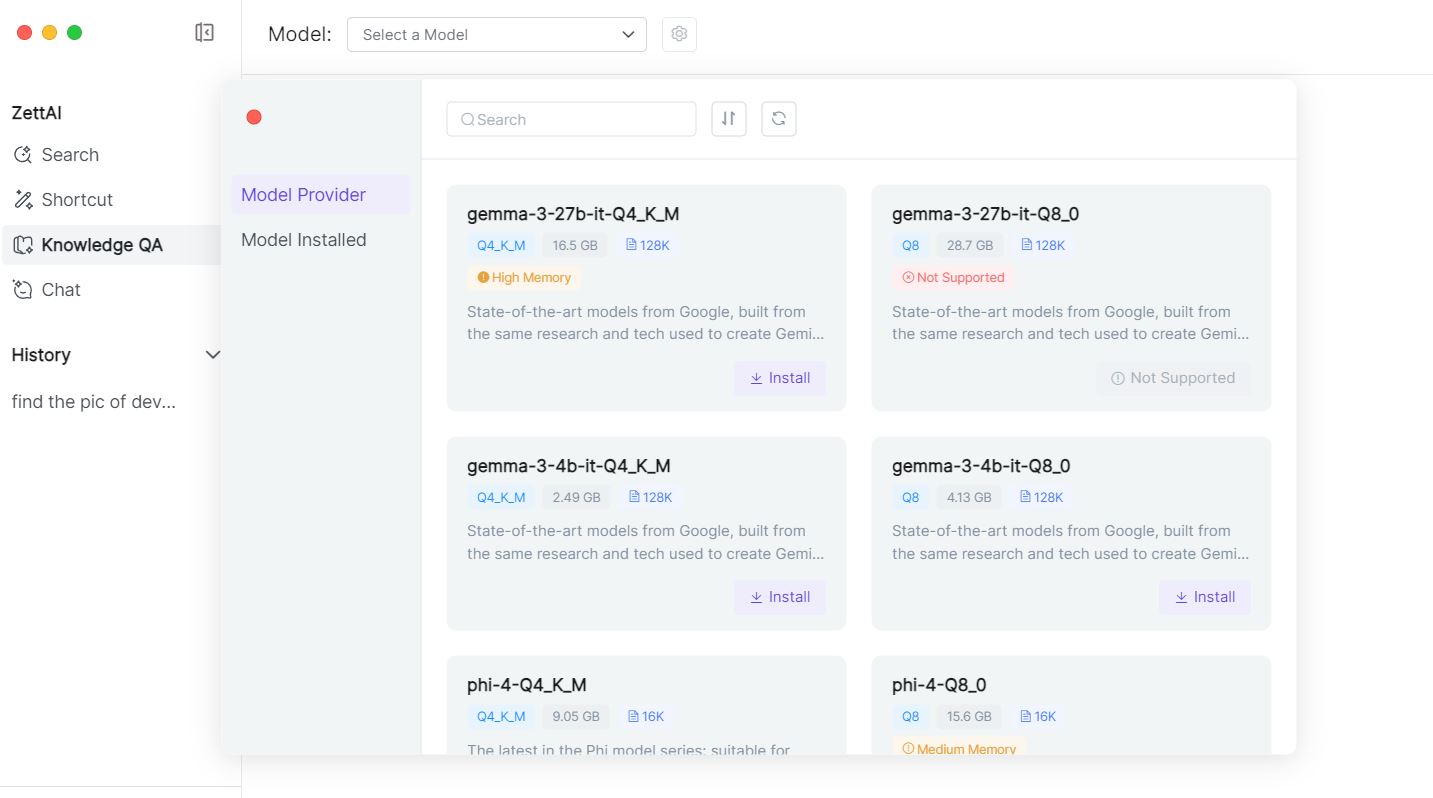
You can install multiple models to test them out. Once you select one, the interface will allow you to choose between the “Performance”, “Balanced”, and “Quality” modes that will have different resource consumption with Quality being the most intensive but accurate. It takes a couple of seconds to load the model fully and then you can search or instruct it to explain anything you would like.
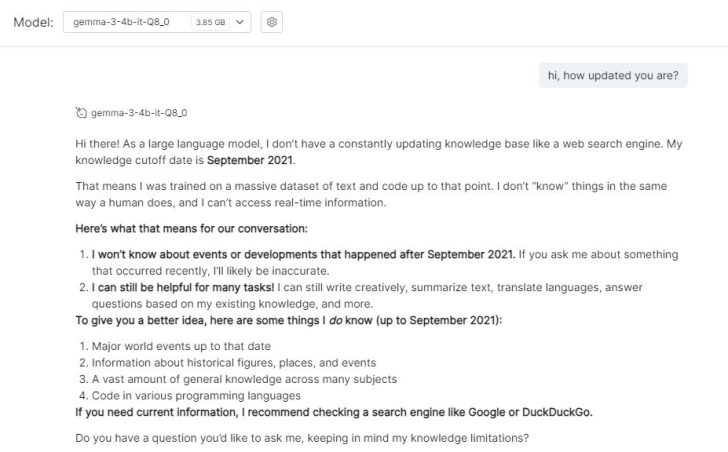
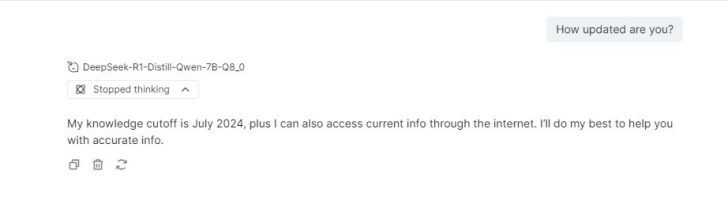
The text generations may or may not be very fast as it depends on external resources like your PC’s CPU and memory, and you shouldn’t expect the machine to compete with popular online chatbots. The chatbot doesn’t offer any real-time search, and the knowledge base can be a few years old. The DeepSeek R1 Distill Qwen 7B Q8 model was much more updated than the Gemma 3. So, the freshness of the information you want to fetch would be entirely dependent on the model you choose.
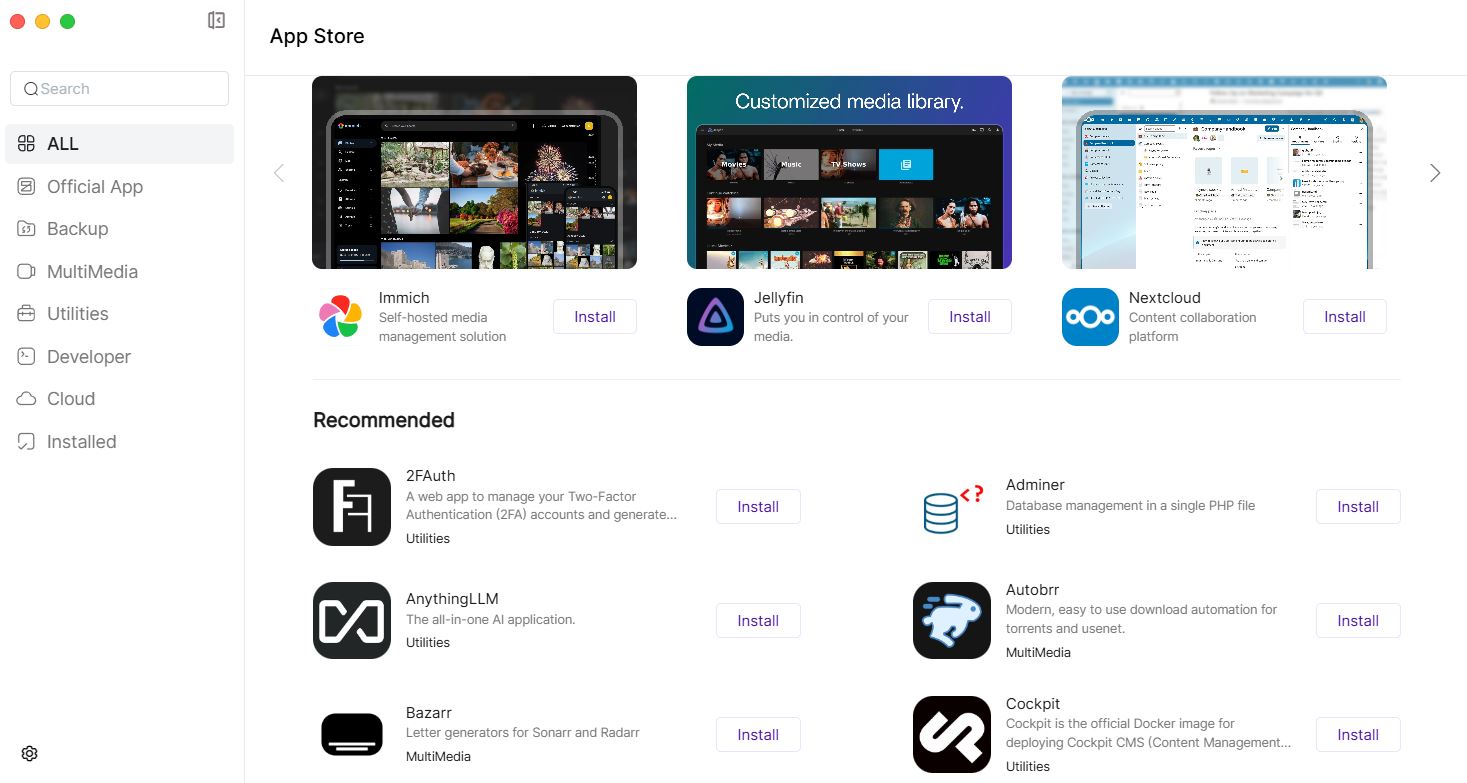
Zettlab D4, thankfully, isn’t just a regular network storage box, and you will have a dedicated built-in App Store (currently with limited options) on this machine to make it into a multi-purpose home or a small-office server. The store brings apps related to media management, private cloud services, backups, utilities, and AI-assisted workflows that will run locally.
The Verdict
The Zettlab D4 brings a decent combination of AI and NAS for regular users. At the current (discounted) price tag of $429, the Zettlab D4 brings a polished 4-bay NAS with local AI for searching and organizing files. For photographers and content creators, it poses as a smarter solution for searching and keeping the files without clutter. The interface, ease of usage, and accessibility on multiple devices simultaneously make it an ideal choice for most.
Connectivity is also satisfactory, and of course, you get a pleasant experience when it comes to additional functions like a dedicated app store, transcribing, LLM chatbots, and more. That said, it isn’t a high-performance NAS by any means, and if your workload demands heavy transcoding or native generative AI, mainstream Intel/Ryzen-based NAS units will be better alternatives.
The Zettlab D4 will start shipping on 20th January, and the company is currently taking pre-orders on the official website.
You can find additional information about our hardware review process and ethics policy here.
8.5
WCCFTECH RATING
The Zettlab D4 stands out by bringing a genuinely useful and privacy-focused AI to a 4-bay NAS that makes it easier for large photo/video and file libraries to manage.
- Local AI processing
- Smart and quick categorization
- Clean and easy UI
- Dual LAN ports
- Tool-less drive bays
- Great accessibility
- Satisfactory media handling
Pros
- Limited for heavy transcoding
- Limited AI compute
- Somewhat smaller app ecosystem
Cons
Buy for from Amazon
The links above are affiliate links. As an Amazon Associate, Wccftech.com may
earn from qualifying purchases.
VIA: wccftech.com